
A Step-by-Step Guide to Successful CMS Migration for Marketing Teams
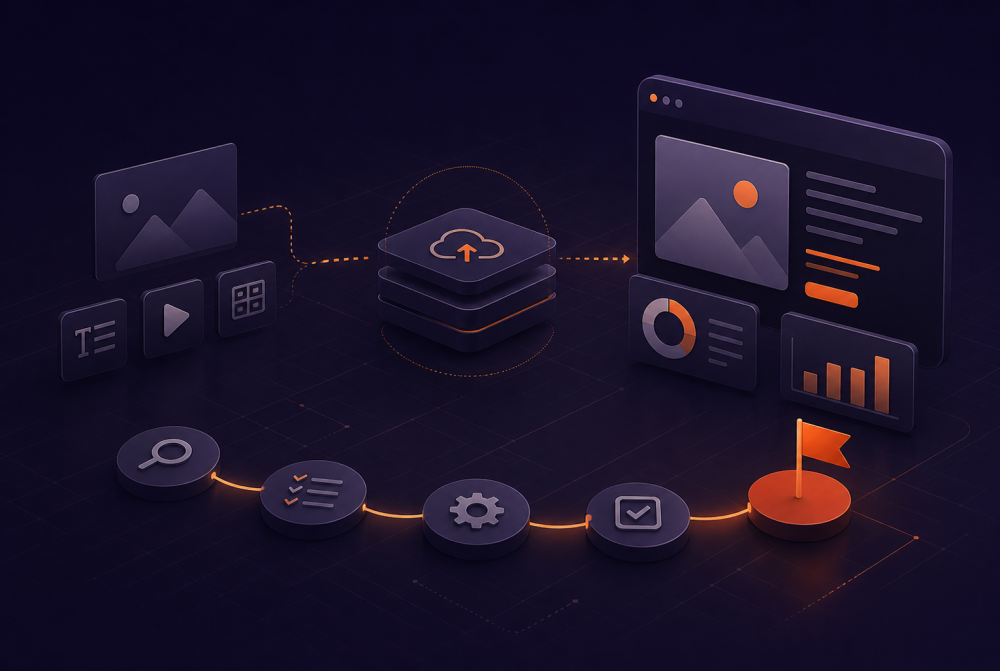
If your current content management system is starting to feel restrictive, it often means it’s no longer keeping up with how your team works. Many marketing teams reach a point where the existing CMS slows down campaigns, limits integrations, or creates unnecessary friction in the workflow.
That’s usually when CMS migration moves from a “someday” idea to an active priority.
At its core, CMS migration refers to the process of moving your website content, structure, and functionality from one CMS platform to another. It sounds straightforward, but in practice, it touches everything like SEO, user experience, analytics, and how your team creates and manages digital content.
And the shift is already happening.
According to Gartner, over 70% of organizations are moving toward composable or modular architectures, including headless CMS approaches, to improve flexibility and scalability. That means more teams are migrating from one system to another, not just once, but as part of ongoing evolution.
At the same time, the stakes are high.
A poorly handled migration process can lead to:
- Lost search engine rankings
- Broken URLs and broken links
- Disrupted user experience
- Delays in launching new content
A well-executed one does the opposite. It helps you streamline operations, improve site performance, and create a foundation that actually supports growth.
The goal isn’t just to migrate to a new CMS.
It’s to do it in a way that creates a smooth transition, for your team and your audience.
Before you start initiating the migration process, it’s worth pausing to ask a simple question:
What do we actually need from a CMS now?
Because not all CMS platforms solve the same problems.
Understanding Why Teams Move to a New CMS
Most migrations happen because the current CMS becomes an outdated CMS, not necessarily broken, but no longer aligned with how teams work today.
Common triggers include:
- Limited integration with marketing tools
- Difficulty managing multilingual or multi-site content
- Poor site performance or slow publishing workflows
- Increasing security concerns and lack of modern security features
- Challenges when moving from a monolithic system to something more flexible
This is where modern CMS platforms, especially headless CMS options, start to stand out. They allow teams to separate content from presentation, making it easier to reuse, scale, and adapt across channels.
But switching to a new CMS isn’t just about features.
Choosing Between Different CMS Options
When evaluating different CMS options, the goal is to ensure compatibility with the new CMS, not just technically, but operationally.
Think about:
- How your team manages website content today
- What your developer team needs to support integrations
- Whether the new environment supports your future plans (e.g., personalization, omnichannel, multilingual support)
For example, moving from WordPress to a headless CMS can unlock flexibility, but it also changes how content is structured, delivered, and maintained.
That’s why a successful CMS migration starts with clarity, not tools.
Defining What Success Looks Like
A successful migration isn’t just “we launched the new site.”
It’s:
- No major drops in SEO ranking
- Clean, functional URLs and preserved metadata
- Improved user experience
- Faster workflows for creating and updating digital content
- A system that scales without constant rework
According to Stanford, 75% of users judge a company’s credibility based on website design and performance. That means your new site isn’t just a technical upgrade, it directly impacts perception and conversion.
So before you migrate to a new CMS, define what better actually looks like.
CMS Migration Checklist: What You Need Before You Start
Before you begin any CMS migration, clarity matters more than speed.
A practical CMS migration checklist at this stage isn’t about execution. It’s about making sure you have the right inputs before you migrate from one content management system to another.
Think of it as readiness.
A Clear Reason for Migration
Every migration should be tied to a specific outcome.
Whether you’re dealing with an outdated CMS, performance issues, or limitations in modern CMS platforms, the reason needs to be explicit.
Without that, it’s easy to move from one CMS to another without actually solving the underlying problem.
A Defined Migration Plan
Before touching content, you need a working migration plan.
This includes:
- Scope of the migration (full site vs partial)
- Timeline and key milestones
- Ownership across teams
- Risks during the migration period
This is what anchors your entire CMS migration process.
A Complete Content Inventory
You need visibility into your existing content before you can move content.
A proper content audit should give you:
- A full list of pages, assets, and templates
- Content types and format structures
- Dependencies between pages and components
Without this, migrations tend to introduce inconsistencies, especially when moving from one content management system to another.
Clarity on the New CMS Structure
Before you use the new CMS, you should understand how content will exist in it.
This includes:
- Content models and template structure
- How the new CMS makes content reusable or modular
- Any differences in how content is stored or delivered (especially with a headless CMS)
This is where many teams run into friction, assuming the new CMS without fully adapting structure.
SEO and Data Preservation Requirements
Even at the planning stage, SEO needs to be accounted for.
You should already know:
- What needs to be preserved from the current site
- How content, structure, and signals will carry over
- Where potential risks exist when migrating from one system
This avoids last-minute fixes during the migration process.
Tooling and Support Decisions
Not all migrations are equal.
Depending on the CMS, you may need:
- Dedicated migration tools
- Internal engineering support
- External migration services
The decision here shapes how complex, or controlled, the migration will be.
Compatibility With the New CMS
Finally, validate compatibility with the new CMS before committing.
That includes:
- Integrations with existing systems
- Support for required features and new features
- Flexibility to scale without rework
This is especially important when moving away from a common CMS or old CMS toward something more flexible.
A well-prepared checklist doesn’t slow you down.
It makes the rest of the step-by-step CMS migration predictable.
Step-by-Step CMS Migration Process
Once the groundwork is in place, execution becomes much more straightforward.
This is where the step-by-step guide comes in, not as a rigid sequence, but as a structured way to move from planning to a smooth transition.
Step 1/ Prepare and Clean Your Content
Before you move content, refine it.
Your earlier content audit now becomes actionable:
- Remove outdated or redundant content
- Standardize structure and format
- Resolve inconsistencies across pages
This reduces friction when moving from one CMS to a new one.
Step 2/ Set Up the New CMS Environment
Your new CMS should be ready before migration begins.
This includes:
- Configuring content models and templates
- Setting up required integrations
- Ensuring the environment supports your long-term needs
This is especially important with modern CMS platforms, where flexibility comes with structural decisions.
Step 3/ Migrate Content
Now you begin to migrate.
Depending on complexity, this may involve:
- Automated transfer using migration tools
- Manual adjustments for structured content
- Validation of formatting and relationships
The goal is consistency, not just speed.
Step 4/ Validate and Test
Before going live, everything should be reviewed.
Focus on:
- Content accuracy and completeness
- Layout and design issues
- Internal linking and navigation
This is where many CMS problems surface, and where they’re easiest to fix.
Step 5/ Go Live
Launching the new site should feel controlled, not rushed.
A well-executed successful migration minimizes disruption during this phase and ensures continuity across the user experience.
Step 6/ Monitor and Stabilize
After launch, the work isn’t finished.
Track:
- Site behavior and performance
- Content rendering issues
- Any gaps introduced during the transition
This final step ensures your CMS to another transition holds up in real conditions.
Launch without disruption
Move your CMS with clarity and control. Talk to our experts to reduce risk, keep momentum, and ship on time.
Common CMS Migration Challenges (and How to Avoid Them)
Even with a strong guide to a successful CMS, challenges tend to appear in similar ways.
Understanding them early makes them easier to manage.
Underestimating the Migration Process
Many teams assume CMS migration is mostly technical. In reality, it affects content, structure, and operations.
Without a clear SEO migration checklist, critical elements like URLs, redirects, and metadata are often overlooked.
This is where underestimating the cms migration process leads to delays, ranking drops, and avoidable rework.
Carrying Over Old Problems
If your old CMS had structural issues, migrating them into the new CMS doesn’t fix anything.
This is common when teams rush to migrate to a new CMS without refining content or structure.
Compatibility Gaps
Not all CMS platforms behave the same.
Differences in how content is modeled or delivered can create issues if compatibility with the new CMS isn’t fully considered early.
Design and Layout Issues
Even when content transfers correctly, layout and design issues can appear due to differences in templates or rendering logic.
These are often discovered late, during or after going live.
Overlooking the Transition Period
The migration period itself needs attention.
Running parallel systems, managing updates, and maintaining consistency across both environments can create complexity if not planned properly.
Tools and Support for a Successful CMS Migration
By the time you reach this stage, the question becomes more practical:
What do we need to execute this well?
The right migration tools don’t just speed things up. They reduce risk, improve consistency, and make the overall CMS migration more predictable.
Choosing the Right Migration Tools
Most CMS platforms offer some level of built-in support, but that’s rarely enough for a complete migration, especially when migrating from one content management system to another CMS.
Depending on your setup, you may need tools that can:
- Extract and structure content from your current system
- Transform data to match the new CMS format
- Preserve relationships between content, assets, and templates
- Support bulk operations without introducing errors
This becomes even more important when working with a headless CMS, where content modeling is more flexible, but also more dependent on structure.
When to Use External Support
Not every team needs external help, but many benefit from it.
If your migration involves:
- Large volumes of content
- Multiple CMSs or integrations
- Custom workflows or complex data structures
…it’s worth considering specialized support.
Experienced teams can help you integrate systems, avoid common pitfalls, and ensure a smooth transition without unnecessary delays.
Balancing Tools With Process
Tools alone won’t guarantee a successful migration.
What matters more is how they fit into your overall step-by-step CMS migration approach. The goal is to support the process, not replace it.
A well-structured setup ensures that when you migrate to a new CMS, everything works together: content, systems, and workflows.
A Guide to a Successful CMS Migration
At a glance, CMS migration can feel like a technical project.
In reality, it’s a structural shift in how your team manages and delivers content.
When done right, it gives you:
- More flexibility across content management system workflows
- Better performance and scalability
- The ability to adapt as your needs evolve
This is why many teams move away from rigid or outdated CMS setups toward modern CMS platforms that better support growth.
What a Successful Migration Really Looks Like
A successful CMS migration isn’t just about moving from one system to another CMS.
It’s about:
- Maintaining continuity during the migration period
- Improving how your team works day-to-day
Setting up a new CMS that supports future needs, not just current ones - Ensuring enhanced security, stability, and long-term scalability
In other words, it’s less about the move, and more about what the move enables.
A Practical Next Step
If you’ve been planning to migrate, or you’re already evaluating how to move from one content management system to another, it’s worth approaching it with structure.
This comprehensive guide gives you a clear starting point. But every migration has its own complexity, depending on your content, systems, and goals.
Lerpal works with teams to plan and execute CMS migration in a way that stays controlled, scalable, and aligned with how marketing teams actually work.
No unnecessary complexity. No disruption to your workflows.
If you’re preparing to migrate to a new CMS and want to ensure a genuinely smooth transition, it’s worth starting a conversation.

You may also like


Talk With Our Experts



Get advice and find the best solution