
Here’s a pattern that plays out across media companies of every size. The CMS was chosen in 2016. The ad server was bolted on a year later. Analytics came from a different vendor. The paywall was somebody’s Q3 project. The recommendation engine was a startup integration that the startup no longer maintains. And the consent management layer was added in a panic right before a GDPR deadline.
Nothing was designed to work together. Everything was designed to solve last quarter’s problem.
The result is a tech stack where editorial wants speed, product wants flexibility, revenue wants performance and nobody’s getting what they need because every system has its own data, its own logic and its own version of the truth. The 2026 Publishers’ Tech Stack Study put it clearly: the modern publisher stack isn’t under-equipped. It’s under-orchestrated.
If your tech stack were a band, every musician would be playing a different song. In a different key. At a different tempo. And somebody in the back would still be tuning.
How Publisher Tech Stacks Got Here
Nobody builds a fragmented tech stack on purpose. It happens one reasonable decision at a time.
A CMS gets selected for its editorial workflow. An ad tech layer gets added for programmatic revenue. An analytics platform gets chosen because the marketing team likes its dashboards. A subscription system arrives when the business model shifts. Each tool solves a real problem. Each tool creates a new silo.
Over a decade, these layers accumulate. A Digiday survey found that 79% of ad operations professionals believe their current tools are inadequate. 55% cite system fragmentation as a major barrier to scaling operations. The tools aren’t bad individually. They just can’t hear each other. Like the Fellowship of the Ring before Rivendell — everyone’s talented, nobody’s coordinated, and the hobbits are doing their own thing entirely.
The pattern accelerates under pressure. A new revenue initiative needs a new tool. A platform migration gets started but never finished. A vendor gets acquired and the integration breaks. Legacy code accumulates because nobody has time to refactor it. And eventually the tech stack reaches a state where changing anything feels dangerous, so nothing changes. That’s technical debt compounding silently — and in publishing, it compounds faster than most industries because the content cycle never stops.
What a Fragmented Stack Actually Costs
The cost of a fragmented publisher tech stack isn’t always visible on a balance sheet. It shows up in slower places.
Revenue leakage. When ad servers and analytics platforms don’t share data cleanly, optimisation becomes guesswork. Header bidding latency kills impressions. Viewability drops because the page loads like a Tolkien chapter — beautifully written, painfully long. Multiple systems competing for the same ad slot means nobody wins efficiently. Publishers leave money on the table not because their content is weak, but because their delivery infrastructure can’t keep up.
Editorial slowdown. Storyblok’s research shows 49% of WordPress users report it takes over an hour to publish content. For high-volume newsrooms, that’s a serious bottleneck. When the CMS requires developer intervention to publish a story, add a module or update a layout, editorial velocity drops. And in media, editorial velocity is revenue velocity.
Operational fatigue. Teams spend hours reconciling data across platforms, debugging broken embeds, running manual exports and maintaining integrations that nobody fully understands anymore. That time isn’t free. It’s engineering hours that could be building features, optimising performance or reducing technical debt.
Missed audience engagement. Disconnected systems mean disconnected experiences. If personalisation, content recommendations and subscription prompts all run on different data, they pull in different directions. The reader notices. Not consciously, but in the way that makes them leave after one page instead of reading five.
What a Modern Media Architecture Actually Looks Like
A modern publisher tech stack is about having connected tools.
A unified content layer
The CMS should be the single source of truth for content — not one of several places where content lives. Modern CMS architectures (headless or hybrid) decouple content from presentation, which means the same content can serve the website, the app, Apple News, AMP and any future channel without duplication. The content layer talks to everything. Everything talks back.
An integrated ad and revenue stack
Ad serving, header bidding, programmatic and direct sales need to operate on shared data with shared goals. When the ad stack can communicate with the CMS and the analytics layer in real time, publishers can optimise ad placement, density and formats based on actual user behaviour rather than yesterday’s report.
Connected data infrastructure
Audience data, content performance data, revenue data and operational data should flow through a shared pipeline. Not identical dashboards — different teams need different views. But the underlying data should be consistent, accessible and trustworthy. When three platforms show three different numbers for the same metric, nobody trusts any of them.
APIs as connective tissue
The systems don’t all need to come from the same vendor. They need to communicate through well-defined APIs and integration layers. This is where the architecture earns its value — in the connections between components, not in the components themselves. A modern publisher stack is more like a well-connected network than a monolithic platform. Each piece does one thing well. The APIs make sure they do it together.
How We Approached This at Hearst
This isn’t hypothetical for us. Lerpal’s engineers work embedded within Hearst’s internal teams across the Digital Magazines division, a global operation reaching 400 million unique visitors through 25 U.S. brands and close to 200 websites worldwide, including Cosmopolitan, Elle, Car and Driver and Men’s Health.
At that scale, every update ripples out to an enormous audience. The work spans exactly the kind of complexity described above: an existing CMS with real limitations, a new one being built to replace it, and an extensive internal ecosystem where every new service has to fit in without breaking what’s already there.
Some of the highest-impact work:
A new CMS built around editorial needs. Working alongside Hearst’s content teams, we helped build a new CMS shaped around how their editors actually work, while managing the constraints of the legacy system in the meantime. This is the unified content layer in practice, and it only succeeds when the people using it every day shape it.
Integrating new services into a complex ecosystem. New services and technologies were brought into Hearst’s tech ecosystem with close attention to how each one connects to everything else. The result was greater operational efficiency rather than another silo. This is where APIs as connective tissue stop being a diagram and become daily engineering.
Scalable, high-performance architecture. We’ve continued to develop and sustain an architecture built to handle the demands of a global audience, balancing scale with performance so growth doesn’t come at the expense of speed.
A better search and browsing experience. We revamped on-site search, improved navigation and optimised page load times, all aimed at keeping readers engaged beyond their first page.
Continuous A/B testing. Ongoing experimentation gave Hearst clear insight into how readers behave, so teams could tailor content and adjust interfaces based on evidence. User session times increased notably, and ad revenue grew across Hearst websites as a result.
None of this would have been possible on a fragmented stack. Every piece required systems that could talk to each other, share data and operate as a coordinated architecture. The engineering work wasn’t glamorous. It was integration, architecture, testing and a lot of making sure things that should talk to each other actually do. That’s the Billie Jean of publisher engineering: technically precise, deceptively smooth, working harder underneath than it looks.
Where to Start If Your Stack Needs Work
Not every publisher needs a full platform migration. Most need targeted improvements in the right places.
Audit what you have. Map every system, every data flow, every integration point. Find out what’s connected, what’s broken and what’s held together by a script someone wrote three years ago and left undocumented. This audit almost always surfaces surprises — orphaned systems, redundant tools, integrations that nobody monitors.
Identify the most expensive bottleneck. Where does the stack slow down editorial? Where does it lose revenue? Where do teams waste the most time on manual work? Start there. The highest-impact improvement is usually obvious once you map it.
Fix data flow before adding new tools. Most publisher tech stack problems are data problems in disguise. If your content data, audience data and revenue data don’t flow cleanly between systems, adding another tool makes the problem worse. Fix the pipes before you add more water.
Layer improvements gradually. You don’t need to replace everything at once. Wrap legacy systems with APIs where possible. Modernise the most critical integration points first. Build the connected data layer that every future improvement will depend on. Each improvement compounds — and a year of steady progress beats a two-year migration that never finishes.
Invest in the integration layer. The most undervalued work in publisher tech is the work that connects systems. API design, data pipelines, event architecture, monitoring. This is the infrastructure that determines whether everything else works together or works in parallel. It’s also the work that’s hardest to justify in a budget meeting because it doesn’t have a UI. But it’s the foundation that everything visible depends on.
The Stack Isn’t the Strategy (But It Enables One)
A modern publisher tech stack doesn’t guarantee great journalism, brilliant ad performance or a loyal audience. Those things come from the people, the editorial vision and the business model.
But a connected, well-orchestrated tech stack removes the friction that prevents good work from reaching its potential. Pages load faster. Content publishes sooner. Revenue optimisation happens in real time. Teams spend their time on strategy instead of firefighting. And when the next opportunity arrives — a new channel, a new revenue model, an AI integration — the stack is ready for it instead of blocking it.
At Lerpal, we’ve spent twenty years building and connecting publisher technology. We know what media tech stacks look like under the hood — because we’ve been inside them, fixing them, modernising them and making them work at scale. If your stack feels like it’s held together with hope, that’s fixable. And it’s fixable without burning everything down and starting over.
Let’s talk about making your tech stack work as well as your content does.
Almost every retailer is using AI in some form now. NVIDIA’s 2026 State of AI survey found that 97% of retailers plan to increase AI spending next year. Deloitte’s 2026 survey of 200 retail executives found 82% plan to boost AI investment within twelve months. AI spending in the retail sector reached $19.9 billion globally in 2026.
And yet, a large share of those AI initiatives never make it past the pilot phase. The gap between “we use AI” and “AI is improving our operations daily” remains stubbornly wide.
This guide focuses on closing that gap. Where AI creates real value in retail. Which use cases actually work. And a practical roadmap for implementing AI without disrupting what already runs.
What AI In Retail Actually Means Today
The conversation about artificial intelligence in retail has matured significantly. Three years ago, it was mostly chatbots and recommendation widgets. In 2026, AI touches demand forecasting, dynamic pricing, supply chain management, fraud detection and personalised shopping experiences.
Where AI is already used in retail
Retailers use AI across the full operation. Machine learning powers demand forecasting and inventory management. Natural language processing runs customer support automation through chatbots and virtual assistants. Computer vision handles in-store analytics. Generative AI produces marketing content and product descriptions. AI algorithms analyze customer data, purchase history and real-time sales data to drive personalization.
Why most AI efforts stall before production
Here’s where it gets honest. Most AI pilots in retail stall because they’re disconnected from existing systems. A demand forecasting model that can’t access clean POS data is a science project, not a solution. A personalization engine that lives outside the e-commerce platform adds complexity without adding value. AI in retail fails most often at the integration layer, not at the model layer. The Force is strong with the AI. But without the right systems to channel it, you’re just waving a lightsaber in an empty room.
The difference between tools and integrated systems
An AI tool does one thing. An integrated AI system connects to your retail stack (POS, ERP, WMS, CRM) and improves decisions across workflows. Retailers can use AI tools quickly. Retailers can use AI systems to actually change how the business operates. The distinction matters because tools create demos. Systems create business value.
Where AI Creates Real Value In Retail
AI creates measurable value in four areas across the retail industry. Each connects directly to operational workflows.
Operations and supply chain efficiency
Supply chain management is where AI delivers the most proven ROI. AI algorithms analyze historical sales data, seasonal patterns and external signals to optimize inventory levels. Demand forecasting leads supply chain AI adoption at 64%, nearly double the next most common use case. Retailers leveraging AI for supply chain report up to 40% lower inventory costs and 60% fewer stockouts.
Customer experience and personalization
Personalized shopping experiences drive revenue. McKinsey’s research shows AI-driven personalization increases revenue by 10-15% on average. AI analyzes customer data (purchase history, browsing behaviour, past interactions) to personalize product recommendations, email campaigns and in-store experiences. The best personalization feels invisible. Like Dumbledore always knowing exactly which student needs what, except it scales to millions of shoppers.
Pricing and demand optimization
Dynamic pricing uses AI to adjust prices based on demand, competitor pricing, inventory levels and customer segments. This is the Billie Jean of retail AI, deceptively simple on the surface, incredibly precise underneath. AI-powered pricing strategies can optimize retail margins in real time, responding to market changes faster than any human pricing team.
Decision support and forecasting
AI helps retailers move from reactive to proactive decision-making. Instead of reacting to last month’s sales data, AI systems can analyze patterns and forecast demand weeks ahead. This transforms planning, staffing, promotions and buying decisions. Good forecasting doesn’t eliminate uncertainty but makes this uncertainty manageable.
Common AI Use Cases In Retail (With Examples)
Here are the use cases for AI in retail that consistently deliver results. Each one connects to a specific operational problem.
Demand forecasting and inventory planning
Problem: Overstocking ties up capital. Understocking loses sales. Both are expensive.
How it works: Machine learning models analyze historical sales data, seasonal trends, weather patterns and promotional calendars to predict demand at the SKU level. The models improve over time as they process more data.
Where it fits: Connects to ERP and inventory management systems. Feeds directly into purchasing and replenishment workflows.
Personalized shopping experiences
Problem: Generic product recommendations underperform. Customers expect relevance.
How it works: AI analyzes customer data — browsing history, purchase history, preferences — and generates personalized recommendations across channels. This powers product suggestions on e-commerce sites, personalised email campaigns and in-store promotions.
Where it fits: Integrates with e-commerce platforms, CRM systems and marketing automation tools. Using AI in retail personalization improves customer satisfaction because shoppers see products relevant to their interests. Better customer interaction leads to higher conversion rates and stronger loyalty.
Dynamic pricing and promotions
Problem: Static pricing leaves money on the table. Manual price adjustments can’t keep pace with market changes.
How it works: AI algorithms analyze demand signals, competitor pricing, inventory levels and customer segments to optimize retail pricing in real time. Promotions can be targeted based on customer behaviour rather than broad discounts.
Where it fits: Connects to POS systems, e-commerce pricing engines and promotional planning tools.
Customer support automation
Problem: High volume of repetitive customer inquiries. Support teams overwhelmed during peak periods.
How it works: AI-powered chatbots and virtual assistants handle routine questions — order tracking, returns, product information — using natural language processing. Complex issues escalate to human agents automatically. Customer service AI resolves tickets for $0.46 versus $4.18 for human-handled — a 9x cost reduction.
Where it fits: Integrates with helpdesk platforms, e-commerce order management and CRM systems.
Fraud detection and risk monitoring
Problem: Retail fraud across payments, returns and loyalty programmes costs billions annually.
How it works: AI models monitor transactions in real-time, flagging anomalies based on patterns. Machine learning improves detection accuracy over time as it learns from confirmed fraud cases.
Where it fits: Connects to payment processing systems, POS infrastructure and e-commerce checkout flows.
Why AI Projects In Retail Can Fail
Understanding where AI projects fail helps retailers avoid the same patterns. The reasons are consistent and predictable.
Disconnected data and systems. Retail businesses typically run multiple systems (POS, ERP, WMS, e-commerce, CRM) that don’t share data cleanly. AI solutions built on fragmented data produce fragmented results. 76% of enterprises cite data quality and privacy as the top challenge to scaling AI in retail.
Lack of clear use case boundaries. “Use AI to improve everything” is how pilots multiply without producing results. Successful AI initiatives start narrow and specific.
Overfocus on models instead of workflows. The AI model is usually 10% of the problem. The other 90% is data pipelines, system integration, workflow design and change management.
No integration into daily operations. An AI system that lives in a dashboard nobody checks is a report, not a solution. AI needs to feed directly into the workflows where decisions happen.
A Practical Roadmap For Implementing AI In Retail
This is the section that matters most. A step-by-step approach to implementing AI in retail without disruption.
Step 1: Start with one operational problem
Pick one workflow that’s slow, expensive or error-prone. Demand forecasting, customer support volume, pricing accuracy — something specific and measurable. The One Ring didn’t try to rule all of Middle-earth at once. It focused. So should your first AI initiative.
Step 2: Map your current systems and data flow
Understand where your data lives today. Which systems generate it. How it moves between them. Where the gaps are. This mapping exercise almost always reveals data quality issues that need fixing before AI can add value.
Step 3: Define a narrow and measurable use case
“Improve demand forecasting accuracy for the top 200 SKUs by 15% within six months.” That’s a use case. “Use AI to optimize retail operations” is a wish.
Step 4: Integrate into existing workflows
The AI solution should connect to the systems your team already uses. Not replace them. Not sit beside them in a separate tab. Integrate directly into the POS, ERP or e-commerce platform where the decisions happen.
Step 5: Build feedback loops and iterate
Measure results. Collect customer feedback and internal team feedback. Adjust. AI models improve with data and iteration. The first version will be rough. The third version will be useful. The tenth version will be the one nobody can imagine working without.
Step 6: Expand gradually across adjacent processes
Once one use case works, apply the same approach to the next. Demand forecasting might lead to inventory optimisation. Customer support automation might lead to personalised shopping experiences. Build momentum from proven results.
How To Approach AI Integration Without Disrupting Your Stack
Retail organisations run on established systems. AI needs to work with them, not around them.
Working with existing POS, ERP and e-commerce systems. Modern AI solutions connect through APIs and integration layers. The goal is adding intelligence to existing systems.
Avoiding full system rebuilds. A complete platform migration to add AI is almost never necessary. Layering AI capabilities on top of current systems through APIs and middleware is faster, cheaper and lower risk.
Ensuring reliability and performance. AI systems in retail need to handle peak traffic: Black Friday, holiday seasons, flash sales. Build with scalability in mind from the start. Test under realistic load. Nobody wants their AI-powered pricing engine to crash during the busiest shopping day of the year.
What To Prioritise First When Getting Started
Choosing the right first use case. Pick the use case with the highest ratio of impact to implementation effort. Demand forecasting and customer support automation are common starting points because they have clear metrics and well-understood data requirements.
Evaluating data readiness. Good AI needs good data. Assess whether your data is clean, accessible and connected across systems before committing to an AI initiative. If the data foundation needs work, fix that first.
Defining success metrics. Know what success looks like before you start building. Accuracy improvement, cost reduction, time saved, revenue impact. Measurable outcomes prevent AI initiatives from becoming permanent experiments.
Deciding between internal build and external support. Building AI capabilities internally requires specialised talent and time. Partnering with an experienced AI solutions provider can accelerate implementation significantly, especially for the integration and data pipeline work that makes or breaks retail AI projects.
Frequently Asked Questions About AI In Retail
How long does AI implementation take? A focused pilot can be production-ready in 3–6 months. Enterprise-wide rollout takes longer — 12–18 months for multiple use cases across systems.
What data is needed to start? Start with the data you already have: transaction history, inventory levels, customer records. Clean, connected data matters more than volume.
Is AI only for large retailers? No. 47% of small businesses used AI in 2025, up from 23% in 2023. The tools are more accessible and affordable than ever. Mid-sized retailers often see faster ROI because they have fewer legacy systems to integrate around.
How do I measure ROI? Track specific metrics tied to the use case: forecast accuracy improvement, inventory cost reduction, support ticket resolution time, conversion rate changes. Avoid vague “AI impact” measurements.
Build, buy or integrate? Most retailers benefit from buying existing AI solutions and integrating them into their stack. Custom builds make sense when off-the-shelf solutions don’t fit your specific workflow or data requirements.
Is Your Retail Stack Ready For AI Integration?
AI in retail works when it’s integrated, measured and iterated. The retailers getting real value from artificial intelligence are the ones treating it as an operational layer — connected to real systems, solving specific problems, improving over time.
Start with one workflow. Map your data. Define the use case. Integrate it properly. Measure the results. Then expand.
At Lerpal, we help retailers and e-commerce businesses implement AI that connects to their existing systems and delivers measurable results. We handle the integration, the data pipelines and the workflow design — the parts that determine whether AI actually works in production or stays a pilot forever.
Most teams don’t fail because they lack AI capability but because they introduce the wrong level of complexity at the wrong time. And in 2026, the most common way to do that has a name: premature agentic architecture.
79% of enterprises say they’ve adopted AI agents. Only 11% run them in production. That’s a 68-point gap between “we’re doing it” and “it works”. Gartner predicts that over 40% of agentic AI projects risk cancellation by 2027 if governance and ROI clarity aren’t established. The technology has arrived but it seems like we still don’t have enough discipline to use it properly and it is still catching up.
The question you should be asking before all the decisions are made is “do we need it or would generative AI solve this more simply?”
Here in this article we’ll help you with that. Let’s go!
Generative vs Agentic AI: A Practical Distinction
Before comparing use cases for agentic AI and generative AI, it helps to clarify how each one behaves inside a system. The difference between agentic AI and generative AI isn’t subtle though many comparisons focus on features rather than system impact (why?). The key differences between agentic AI and generative AI come down to control, complexity and what happens when it all goes so wrong that you feel that Terminator lore was better than this.
What generative AI does
Generative AI produces content. You give it an input, it gives you an output. A prompt goes in, text (or code, or an image) comes out. Generative models like GPT, Claude and Gemini are stateless by default. They don’t plan ahead, they respond to what’s in front of them. Think of generative AI as a session musician: brilliant in the moment, plays what you ask for, doesn’t show up uninvited to rearrange the whole album.
What agentic AI does
Agentic AI takes action. An AI agent receives a goal, makes a plan, executes steps, evaluates results and adjusts. It uses tools, manages state and can operate across multiple systems. Where generative AI answers a question, agentic AI works through a problem.
Agentic AI is the Gandalf of the AI world: shows up with a plan, delegates to a fellowship, occasionally wanders off to do something nobody asked for and somehow it all works out. Usually.
The real distinction: output vs action
Generative AI creates content based on a prompt. Agentic AI makes decisions and takes action across steps. The distinction between agentic AI and generative AI matters for system design because each introduces a fundamentally different level of complexity, control and risk.
| Feature | Generative AI | Agentic AI |
|---|---|---|
| Behaviour | Single-step output | Multi-step reasoning and action |
| Control | High, bounded by prompt | Lower, autonomous decisions |
| Complexity | Low to moderate | High |
| State | Stateless or lightly stateful | Stateful with memory |
| Failure mode | Bad output | Bad decisions in sequence |
| Debuggability | Straightforward | Requires dedicated observability |
How Generative AI Works in Real Systems
Most production AI systems today use generative AI at their core, and most of them should stay that way for now.
Prompt-driven workflows
A user submits a query, the system builds a prompt, the LLM generates a response.
Done.
This pattern handles content generation, data extraction, summarisation and assistive interfaces. Generative AI tools work well here because the inputs are clear and the outputs are bounded.
Retrieval + generation (RAG patterns)
Text generation, summarisation, extraction, content drafting – the generative use cases where LLMs shine. These work well when the output has a clear validation path.
Retrieval-based systems (RAG workflows)
When the AI needs context beyond its training data, retrieval-augmented generation adds a step. The system searches a knowledge base, retrieves relevant documents, assembles them into context and feeds them to the generative model alongside the prompt. RAG is powerful and well-understood: it adds one layer of complexity for a significant gain in accuracy.
Use cases for generative AI
Generative AI fits naturally into tasks with clear inputs and bounded outputs:
- content generation;
- document summarisation;
- data extraction;
- translation;
- assistive search interfaces;
- first-draft writing.
These are single-step or lightly multi-step workflows where the AI produces something a human or system can validate quickly.
If the task can be solved in one prompt (or a short chain), generative AI is almost certainly the right choice. Adding agents to a task that a well-crafted prompt handles is something close to hiring an orchestra to play “Happy Birthday”.
How Agentic AI Works (and What It Adds)
Agentic AI introduces coordination, iteration and decision-making.
It operates on a loop: task → plan → execute → evaluate → repeat.
Multi-step reasoning and planning
An AI agent breaks a goal into sub-tasks, sequences them logically and executes them in order. Each step’s output feeds the next step’s input. The agent can adjust its plan based on intermediate results. This is genuinely powerful for complex workflows where the path forward depends on what you learn along the way.
Tool usage and orchestration
Agentic AI connects to external tools: APIs, databases, search engines, code execution environments. The agent decides which tool to use, when, and how to interpret the result. This orchestration capability is where agentic AI adds value over generative models. The agentic AI framework handles decisions that would otherwise require a human to coordinate manually.
State, memory and feedback loops
Unlike generative AI, which typically treats each interaction as independent, agentic AI maintains state. It remembers what happened, tracks progress and adjusts future actions based on past results. This statefulness is essential for complex tasks and also the source of most debugging headaches.
The Real Tradeoff: Control vs Autonomy
This is the core system design decision when evaluating agentic AI vs generative AI. Every agentic and generative AI decision ultimately comes down to how much autonomy the system needs and how much you can afford to give it.
Predictability vs flexibility
Generative AI is predictable: same prompt, similar output, every time.
Agentic AI is flexible: it adapts to new information. But flexibility comes with variance. Variance makes systems harder to test, harder to certify and harder to explain.
Debuggability vs adaptability
When a generative AI system produces bad output, you check the prompt and the context. When an agentic AI system produces a bad outcome, you trace through a chain of decisions, tool calls and state transitions. Datadog’s 2026 State of AI Engineering report found that agentic framework adoption doubled year-over-year, but the dominant production failure mode is still capacity and reliability.
Operational overhead
Agentic systems cost more to run, more to monitor and more to maintain. Every agent step is an API call, a latency window and a potential failure point. Before choosing agentic AI, think of whether the operational overhead is justified by the value it creates.
| Feature | Generative AI | Agentic AI |
|---|---|---|
| Predictability | High | Variable |
| Debuggability | Check prompt + context | Trace decision chain |
| Operational cost | Lower, predictable | Higher, variable |
| Maintenance | Prompt updates | Pipeline, state, tool management |
| When it shines | Bounded tasks, clear I/O | Complex multi-step workflows |
When to Use Generative AI (Keep It Simple)
Every AI system involves tradeoffs. Making them explicit prevents surprises in production.
Prompt Design as a System Interface
Start here by default. Use generative AI when:
- The task is single-step or bounded;
- Inputs and outputs are well-defined;
- The output is low-risk or human-reviewed;
- A well-structured prompt gets you 90% of the way.
Signals you should not move to agentic AI:
- The task completes in one or two LLM calls;
- You can validate the output with a simple schema check;
- The workflow has no dependencies between steps;
- You’re adding agents because “everyone else is”. Peer pressure works in high school. In system design it creates technical debt.
When Agentic AI Makes Sense
Agentic AI should solve a real system limitation. It earns its complexity when:
Multi-step workflows with dependencies
Research tasks that require searching, filtering, comparing and synthesising across sources. Each step depends on the previous one. A generative model can handle one step, an agent can handle the whole sequence.
Complex decision chains
Workflows where the next action depends on the result of the previous one, and the branching logic is too dynamic for a deterministic system. Agentic AI handles this well because it can reason about which path to take.
Tool orchestration across systems
When the task requires coordinating across multiple APIs, databases and services like pulling data from one, processing it through another, writing results to a third, an agentic AI framework provides the orchestration layer. This is where agentic AI operates at its best.
Use cases for agentic AI
- Automated multi-step research workflows;
- Cross-system data reconciliation;
- Dynamic customer support with tool access;
- Code generation pipelines with testing and deployment;
- Complex document processing with validation chains.
Not sure whether your product needs generative AI, agentic AI, or both?
Whether you're exploring AI for content, automation, customer support, compliance, or enterprise workflows, we'll help you identify where AI adds value and where complexity can be avoided.
Common Mistakes in Agentic AI Adoption
Many adopt agentic AI too early.
- Replacing simple pipelines with agent architectures when a prompt chain would suffice;
- Overengineering workflows because “agentic sounds more advanced”;
- Skipping guardrails and validation layers. Agentic AI makes decisions and unchecked decisions at speed create problems at speed;
- Ignoring failure modes. Agents fail in chains: one bad step cascades through everything downstream;
- Treating agentic AI as the natural “next step” from generative AI. It isn’t. It’s a different tool for different problems.
A Simple Decision Framework You Can Use
The generative AI vs agentic AI decision doesn’t need to be complicated. Before adding AI to a system, run through this checklist. It takes thirty seconds and saves months of overengineering.
- Can this be solved in one step? → Use generative AI
- Does it require iteration or planning? → Consider agentic AI
- What happens when it fails? → If the answer is “nothing good”, add validation layers before adding autonomy
- Is autonomy needed? → If a human can review the output in the same workflow, generative AI with human-in-the-loop is simpler and safer
- Am I adding agents because the problem demands it or because it sounds impressive? → Be honest. Choose agentic AI when the workflow genuinely requires it.
Designing Systems That Combine Both Approaches
Most real-world systems will use both generative AI and agentic AI. The key is keeping boundaries clear.
Generative core + agentic orchestration
Use generative AI for the content-producing steps (summarisation, extraction, generation. Use agentic orchestration for the coordination layer), deciding what to process, in what order, and how to handle edge cases. The generative components stay stateless and predictable, the agentic layer manages flow and state.
Layering AI components safely
Each AI component should have clear inputs, expected outputs and a validation layer. When agentic AI connects to generative tools, the contract between them should be as well-defined as any API.
Keeping boundaries clear
Define where generative AI ends and agentic AI begins. Document it, make sure everyone on the engineering team understands the boundary. Mixed systems where the lines blur are the hardest to debug, the hardest to scale and the most likely to produce unexpected behaviour.
The Future of AI Systems
The agentic AI vs generative AI conversation will keep evolving. Agentic AI will grow. The market expanded from $7.6 billion in 2025 to a projected $10.8 billion in 2026. Gartner forecasts that 40% of enterprise applications will embed task-specific AI agents by the end of 2026, up from less than 5% in 2025. The trajectory is real, but the trajectory is also selective. The highest-ROI deployments in 2025 were document processing, data reconciliation, compliance checks and invoice handling. Boring, specific, well-bounded tasks.
Simplicity will still win in most cases. The systems that scale will be the ones that are predictable, maintainable and useful.
Choose the Simplest System That Works
The goal isn’t to use the most advanced AI technology available. Generative AI and agentic AI each have a place. The architecture question is knowing which place is which.
Generative AI handles most production use cases well today. Agentic AI handles the ones that genuinely require autonomy and multi-step reasoning. Combining both is powerful when each is placed where it belongs and bounded by clear design decisions. The architecture that serves you best is the one you can explain, debug and trust.
At Lerpal, we help organisations design AI systems grounded in real-world constraints. We’ve built generative AI workflows and agentic architectures across media, fintech and enterprise software, always starting with the problem, always choosing the simplest AI solution that solves it. The architecture should serve the business, not the other way around.
Many teams don’t struggle with AI capability but with where and how to use it.
The models work, APIs are accessible, tooling has matured enough that integrating an LLM into a workflow takes hours, not months. And yet, McKinsey’s 2025 State of AI found that only 23% of enterprises are scaling AI systems into production. Another 39% remain stuck in experimentation. The gap between “we built a demo” and “this runs reliably every day” keeps growing.
The most common reason? Overengineering.
Overengineering happens when AI gets added without clear system intent.
A classification task becomes a multi-agent pipeline.
A simple retrieval workflow becomes an agentic architecture with six LLM calls per query.
The system gets more complex, harder to debug and no better at the thing it was supposed to do.
Good AI system design is intentional, constrained and well-structured. Whether you’re preparing for a system design interview or building production infrastructure, the principles are the same.
Our article is how to get there.
Start with System Design, Not AI
Before introducing any artificial intelligence component, define what the system is supposed to do at a high-level. It gets skipped constantly.
Define system goals, inputs and outputs
- What goes in?
- What comes out?
- What does the system need to achieve?
These questions have clear answers for most workflows, and those answers should be written down before anyone even mentions a model. If you can’t describe the system’s purpose in one sentence, then the architecture will reflect that confusion.
Identify decision points in the workflow
Walk through the workflow step by step.
- Where does a decision happen?
- Where does uncertainty exist?
- Where does a human currently make a judgment call?
These are your candidate locations for AI. Everything else should stay deterministic.
Separate deterministic logic from uncertain tasks
If a decision is predictable and rule-based, AI is likely unnecessary. A status check, a threshold comparison, a routing decision based on known criteria – all these belong in traditional logic.
AI belongs where the input is ambiguous, the patterns are complex or the volume makes human review impractical.
Where AI Adds Value in a System
AI is most useful where uncertainty exists. Designing systems around this principle prevents the most common overengineering mistakes.
Pattern recognition and classification
Categorizing documents, detecting anomalies in transactions, routing support tickets by intent – tasks where AI models excel because the inputs are variable and the patterns are learnable. A well-trained classifier running on a simple pipeline delivers more real-world value than most elaborate architectures.
Generative tasks
Text generation, summarisation, extraction, content drafting – the generative use cases where LLMs shine. These work well when the output has a clear validation path.
Retrieval-based systems (RAG workflows)
When the system needs to answer questions grounded in specific data like internal documentation, product catalogues, knowledge bases, retrieval-augmented generation is the pattern.
A query hits a vector database, retrieves relevant context and an LLM generates an answer grounded in that context. RAG stays simple when you keep the retrieval pipeline clean and the prompt structured.
AI-powered interfaces vs. backend logic
Sometimes AI belongs at the interface layer: a natural language query parser, a conversational UI, a search experience. Sometimes it belongs in the backend: classification, scoring, extraction.
Where the AI component sits in your architecture affects latency, cost, scalability and debuggability.
Where AI Does Not Belong
Misplacing AI is the fastest path to overengineering.
Deterministic workflows
If the logic can be expressed as a decision tree, a set of rules or a lookup table, an LLM adds cost and unpredictability without adding value that you need in the first place. Don’t use AI to do what a conditional statement does perfectly well.
Critical system paths without fallback
AI outputs are probabilistic. Putting an LLM on a critical path with no fallback is asking for production incidents. Every AI component in a system needs a graceful degradation path.
High-risk decisions without validation
Financial approvals, medical recommendations, legal determinations require human oversight. AI can assist and surface information, but the final decision should pass through a validation layer.
Common misuse patterns to avoid:
- Using generative AI where a database query would suffice;
- Running multi-agent orchestration for a single-step task;
- Treating LLM output as deterministic;
- Adding AI just because stakeholders asked for “something with AI”.
Designing Simple AI System Architecture
Keep architecture understandable before making it advanced.
Basic AI pipeline:
Input → preprocessing → model call → output validation → action.
This pipeline handles most AI use cases. Start here and add complexity only when this pattern demonstrably can’t solve the problem.
When to introduce retrieval (RAG)
Add retrieval when the AI component needs context that isn’t in the model’s training data:
- company-specific documents;
- recent data;
- domain knowledge.
The architecture extends to:
input → query embedding → vector search → context assembly → model call → output.
Datadog’s 2026 State of AI Engineering report found that agentic framework adoption nearly doubled year over year, rising from 9% to 18% of organisations, but the majority of production AI systems still run on simpler patterns.
Using cache to reduce cost and latency
If the same queries hit your AI pipeline repeatedly, cache the responses. Semantic caching (matching similar queries to cached results) reduces API costs and improves responsiveness without adding architectural complexity. One of the highest-ROI optimisations in AI system design and one of the most overlooked.
Avoiding premature multi-agent systems
Multi-agent architectures are powerful for complex, multi-step reasoning tasks. They’re also expensive, hard to debug and overkill for 90% of current production use cases.
Deloitte’s 2026 State of AI report found that only one in five companies has a mature governance model for agentic AI — even as adoption accelerates. Start with single-purpose AI components. Graduate to agents when the use case genuinely demands autonomous multi-step reasoning.
| Feature | Simple Pipeline | Agentic Architecture |
|---|---|---|
| Best for | Classification, extraction, single-step generation | Multi-step reasoning, dynamic tool use |
| Complexity | Low | High |
| Debuggability | Straightforward | Requires dedicated observability |
| Cost | Predictable | Variable (scales with steps) |
| When to use | Most production use cases today | Complex workflows with genuine autonomy needs |
Prompt Design as a System Interface
Prompts shape system behaviour. In production AI systems, they deserve the same discipline as any other system interface.
Structuring prompts for consistency
Use clear instructions, define the expected output format and include examples where they reduce variability. A well-structured prompt acts like a contract: specify the role, the task, the constraints and the expected response schema. Teams that treat prompts as throwaway strings end up debugging output randomness instead of building features.
Handling variability in outputs
LLM outputs are inherently variable. Even with identical prompts, responses can differ in structure, length and content. Handle this with validation layers downstream: parse outputs against expected schemas, reject malformed responses and retry or fall back when the output doesn’t match.
Prompt versioning and iteration
Treat prompt versioning like code versioning: track changes, test regressions before deploying and roll back when quality degrades. Tag each version, log which version produced which outputs and tie changes to measurable quality metrics.
Add Guardrails, Not Complexity
AI systems need constraints rather than more intelligence.
- Output validation and filtering.
Every AI output should pass through a validation layer before reaching the user or the next system. Schema validation, content filtering, format checking are cheap to implement and prevent the most embarrassing failures.
- Confidence thresholds.
When the model’s confidence is low, route to a fallback: a human reviewer, a simpler algorithm, a “I don’t know” response. Confident wrong answers are worse than honest uncertainty.
- Fallback mechanisms.
Every AI-powered path needs a non-AI alternative. When the API is down, when the model hallucinates, when latency spikes, then the system should degrade gracefully rather than fail. Completely.
Minimum guardrails for production systems:
- Input sanitisation (prevent prompt injection);
- Output schema validation;
- Confidence-based routing;
- Rate limiting and cost controls;
- Logging for every model call (input, output, latency, token count).
Design for the problem, not the model
Start with the system constraints that matter most, then use AI where it removes complexity or improves outcomes. Simpler architectures are usually easier to scale, maintain, and trust.
Designing Workflows Around AI
AI should fit into workflows, not replace them entirely.
Human-in-the-loop decision points
For high-stakes or ambiguous decisions, design explicit review steps where a human validates the AI’s recommendation before the system proceeds. Content moderation, financial scoring, medical triage, anywhere the cost of a wrong decision outweighs the cost of a short delay.
Automation vs. augmentation
Classification of low-risk support tickets? Automate.
Drafting a legal summary for client review? Augment.
The distinction determines how much control and oversight the workflow needs. Default to augmentation when the stakes are high or the domain is complex.
Workflow orchestration basics
When AI is one step in a larger process, keep orchestration simple: a task queue, clear handoffs between steps and well-defined input-output contracts for each stage. Avoid building custom orchestration engines when existing frameworks handle the pattern.
Managing Tradeoffs in AI System Design
Every AI system involves tradeoffs. Making them explicit prevents surprises in production.
| Lower End | Higher End | How to Evaluate | |
|---|---|---|---|
| Accuracy vs. latency | Faster responses, more errors | Slower, more precise | Match to user expectations and use case criticality |
| Cost vs. scalability | Cheaper per call, limited scale | Higher cost, elastic scaling | Model against realistic traffic projections |
| Flexibility vs. reliability | Adaptable, less predictable | Constrained, more stable | Prioritise reliability for production; flexibility for experimentation |
Scaling AI Systems Without Overengineering
Start small, then expand deliberately.
- Single-purpose AI components first.
One model, one task, one clear input-output contract. Compose these into larger systems when the individual components are stable and well-understood.
- Observability and logging.
Log every AI interaction: inputs, outputs, latency, cost, error rates. Without observability you can’t optimize, debug or explain what the system did or why.
- Iterative improvement loops.
Collect feedback on AI outputs. Use it to refine prompts, adjust confidence thresholds and improve over time. The best AI systems improve continuously because they’re designed to learn from production behaviour.
A Practical High-Level Architecture You Can Use
Most AI-enabled systems fit a five-layer reference model. Before reaching for a framework, map your system to these layers.
Input layer
Where data enters: user queries, uploaded documents, API calls, webhook events. This layer handles parsing, normalisation and initial validation. Malformed or adversarial inputs get caught here, before they reach anything expensive.
Processing layer
Deterministic logic lives here: routing, enrichment, transformation, business rules. If a request can be resolved without AI — a database lookup, a rules-based decision, a cached response — it gets handled at this layer and never touches the model.
AI component
The model calls itself. Keep it thin: one model, one task, one clear prompt. Pass in only the context the model needs. If you’re using RAG, the retrieval step feeds context into this layer.
Validation layer
Every AI output passes through validation before moving downstream. Schema checks, confidence thresholds, content filtering. This layer turns probabilistic outputs into something the rest of the system can trust. If validation fails, route to a fallback — not to a crash.
Decision and action layer
The validated output triggers an action: a response to the user, a database write, a notification, a handoff to a human reviewer. This layer owns final decision logic and human-in-the-loop checkpoints for high-stakes workflows.
The flow: Input → processing → AI component → validation → decision/Action. Each layer has a single responsibility, a clear interface and a fallback path.
Common Mistakes That Lead to Overengineering
Most complexity comes from avoidable design decisions:
- Starting with tools (LangChain, vector databases, GPU clusters) instead of problems;
- Overusing agentic or multi-agent setups for tasks that don’t require autonomy;
- Skipping validation layers because “the model is good enough”;
- Treating AI output as deterministic when it is fundamentally probabilistic;
- Fine-tuning when prompt engineering would suffice;
- Writing custom coding for AI orchestration when existing frameworks handle the pattern.
Design for Reliability, Not Novelty
AI systems don’t need to be complex to be powerful. They need to be well-placed, well-bounded and easy to reason about.
The teams shipping real-world AI systems at scale tend to share a pattern: simple architectures, strong guardrails, clear ownership of each AI component and a willingness to use traditional logic where it works better. The novelty is in what the system achieves, not in how many layers the architecture has.
At Lerpal, we help organisations design and build AI systems that work in production: scalable, observable, maintainable. We’ve spent years integrating AI into real systems across media, fintech and enterprise software, and the approach is always the same: start with the problem, design the architecture, add AI where it genuinely helps and keep everything as simple as the requirements allow.
Let’s design an AI system that works without the unnecessary complexity.
“How much does it cost to build a fintech app?”. It’s the first question every founder asks and nobody enjoys the answer: it depends. Depending on who you ask, developing a fintech app costs somewhere between $50,000 and $500,000+.
That range is about as useful as answering “how long is a road”. It tells you nothing about your road.
The global fintech market reached approximately $395 billion in 2025 and is projected to hit $461 billion in 2026, growing at an 18% CAGR. Global fintech investment recovered to $116 billion in 2025, up from a seven-year low the year before.
The money is flowing.
The question is how much of it you’ll need and how to spend it without watching the budget moonwalk right past your original estimate.
This guide breaks down fintech app development costs based on what drives spending without generic feature lists.
Whether you’re planning to develop a fintech app from scratch or evaluating fintech application development partners, understanding the real cost drivers gives you a foundation for conversations that start with numbers rather than guesses.
What Determines Fintech App Development Cost
Before opening a spreadsheet, understand the five forces that shape every fintech app development cost:
1/ App complexity.
A basic payment app with a few screens and one integration has a fundamentally different cost profile than a wealth management platform with real-time portfolio tracking, AI-driven recommendations and multi-currency support.
Complexity compounds: every additional feature adds development time, testing time and integration time. The difference between a basic app and an advanced app can easily be a 3-5x cost multiplier.
2/ Compliance requirements.
Financial services live under regulatory scrutiny. KYC/AML, PCI DSS, GDPR, SOC 2 – each requirement adds development work, security architecture and ongoing maintenance.
A fintech app that handles payments in Europe has different compliance needs than one operating in the US, and if you’re targeting both the requirements stack. Compliance work can account for 15-25% of total development costs on a complex fintech product.
RegTech deal volumes rose to 519 in 2025, reflecting how seriously the fintech industry is treating regulatory infrastructure as a product-level concern.
3/ Integrations.
Payment gateways, banking APIs, credit scoring services, identity verification providers – every third-party integration adds development time and ongoing dependency management.
The fintech app depends on these integrations working reliably, which means building error handling, fallback logic and monitoring around each one.
4/ Security expectations.
Financial service users expect bank-grade security. End-to-end encryption, secure authentication, fraud detection, transaction monitoring.
These aren’t optional features and they cost money to implement all properly.
Cutting corners on security in fintech is the kind of decision that saves money for about six months and then costs everything.
5/ Platform choice.
Web, iOS, Android or all three? Each platform adds development and testing effort. Cross-platform development frameworks (React Native, Flutter) can reduce cost, but they come with tradeoffs in performance and native functionality.
The platform decision shapes the overall cost of mobile app development significantly.
Fintech App Cost Breakdown
Here’s a realistic fintech app development cost breakdown for a mid-complexity fintech application in 2026:
Design (UX/UI): 10-15% of total budget.
User experience in fintech is a trust signal. Poorly designed financial apps don’t get second chances. Users who don’t trust the interface won’t trust it with their money. Budget for proper research, wireframing, prototyping and user testing.
Development (frontend + backend): 40-50% of total budget.
The biggest cost driver. Frontend development builds what users see and interact with. Backend development handles the business logic, data processing, API orchestration and infrastructure. For fintech, the backend is typically more complex because financial operations require transaction accuracy, concurrency handling and audit trails.
Integrations (APIs, payment systems): 10-15% of total budget.
Connecting to payment processors, banking APIs, identity verification services and data providers. Each integration requires development, testing and ongoing monitoring. Some fintech API providers charge transaction fees on top of development costs.
Security & compliance: 10-20% of total budget.
Encryption implementation, secure authentication (biometric, multi-factor), penetration testing, compliance documentation, regulatory audit preparation. This percentage increases for fintech applications handling sensitive financial data across multiple jurisdictions.
Testing & deployment: 10-15% of total budget.
Functional testing, security testing, performance testing, regulatory compliance testing and deployment infrastructure. Fintech apps require more rigorous testing than most applications because bugs in financial software create real financial consequences for real people.
These percentages shift based on your specific fintech product, but they give a working framework for estimating where the money goes. The cost of developing a fintech app depends on how these components balance against each other. A compliance-heavy banking app allocates more toward security, while a consumer-facing personal finance tool invests more in design.
Types of Fintech Apps and Cost Differences
The type of fintech app you’re building is the single biggest cost determinant. Different types of fintech apps carry different complexity, compliance burden and integration requirements:
Mobile banking app.
Core features include account management, transaction history, fund transfers, bill payments, push notifications and often biometric authentication. Banking app development requires heavy compliance work and deep integration with core banking systems.
Development time: 6-12+ months for a production-ready product.
These tend to land on the higher end of fintech app development costs because the regulatory and security requirements are significant.
Payment app.
Peer-to-peer transfers, merchant payments, QR code scanning, multi-currency support. Payment apps need PCI DSS compliance, integration with payment processors and robust fraud detection.
A money transfer app focused on cross-border payments adds currency conversion logic and regional regulatory layers, which affect the cost further.
The complexity here sits in the transaction engine: it needs to be fast, reliable and auditable.
Lending app.
Credit applications, risk scoring, loan management, repayment tracking, document verification. Lending apps add AI-driven credit assessment (increasingly standard in 2026, with 57% of lending platforms now using AI-driven credit scoring) and complex business logic around interest calculations, late payments and regulatory reporting.
Investment/wealth management app.
Portfolio tracking, automated investing, market data feeds, risk assessment, reporting. An investment app requires real-time data integrations, financial modelling capabilities and often compliance with securities regulations.
The data infrastructure alone can push costs significantly higher than other fintech app types. Robo-advisory features (that are increasingly expected by users in 2026) add AI model development and ongoing training costs to the fintech development budget.
Personal finance app.
Budgeting, spending analytics, savings goals, account aggregation. Generally the simplest of the fintech app types, though the account aggregation component (connecting to multiple banks via open banking APIs) adds meaningful integration complexity.
Insurance app.
Quote comparison, policy management, claims processing and document handling. Insurance apps require integration with underwriting engines and often involve complex rule-based logic that varies by product type and jurisdiction.
While less common than payment or banking apps, an insurance app can rival them in backend complexity, particularly around claims automation and regulatory reporting.
Development Process and Cost Stages
The app development process for fintech follows phases, and fintech app development costs don’t arrive all at once, they distribute across a structured development process:
Discovery & planning (4-8 weeks).
- requirements gathering;
- market research;
- regulatory mapping;
- architecture design;
- UX research.
This phase typically costs 5-10% of the total budget and determines whether everything after it goes smoothly or sideways. Skipping discovery is how development budgets double.
MVP development (3-6 months).
Build the minimum viable fintech product:
- core functionality;
- basic compliance;
- essential integrations.
The fintech MVP lets you validate the product with real users before committing the full development budget. MVP development typically accounts for 30-40% of the total cost to build a fintech app.
Iteration & scaling (ongoing).
Based on user feedback, usage data and business priorities:
- expand features;
- improve performance;
- add integrations;
- extend to additional platforms.
This phase often costs as much as or more than the MVP because the fintech product is now live and every change carries real-world consequences.
Maintenance (15-25% of initial development cost per year).
- bug fixes;
- security patches;
compliance updates; - API changes from third-party providers;
- infrastructure costs.
Maintenance is the cost that most budgets underestimate and every fintech app requires. The fintech market evolves fast and a fintech application that doesn’t evolve with it becomes a liability.
Key Factors Influencing Fintech App Development Cost
Beyond the basics, several cost drivers can shift fintech app development costs significantly:
Feature scope.
Every feature has a cost. The discipline of cutting features that aren’t essential for launch saves more money than any other single decision. Experienced fintech app developers will tell you that the most expensive feature is often the one that sounded good, but in the end nobody uses it after launch.
Custom vs. off-the-shelf solutions.
Building a custom payment engine costs ten times more than integrating Stripe or Adyen. Use existing platforms where they fit your requirements and build custom where they don’t. This single decision (where to buy and where to build) can save hundreds of thousands of dollars on a complex fintech product.
Team expertise in fintech.
A development team with deep fintech experience builds faster and makes fewer expensive mistakes. They know the regulatory pitfalls, the common integration patterns and the security requirements before writing any code. Teams learning fintech on the job cost less per hour and more per project.
Regulatory requirements.
Operating in one country with clear regulations costs less than operating across five jurisdictions with conflicting rules. Regulatory scope directly affects compliance cost, legal cost and development complexity.
Infrastructure and scalability.
A fintech app that handles 1,000 transactions per day has different infrastructure needs than one handling 1 million. Building for scale from day one costs more upfront but prevents expensive re-architecture later. Building with no thought for scale costs less now and much more when the fintech product succeeds.
Average Fintech App Development Cost Ranges in 2026
Broad ranges based on current market rates. The cost to develop a fintech app varies widely, but these categories reflect what most teams encounter:
Fintech MVP (basic app): $50,000–$150,000.
Core features, single platform, minimal integrations, basic compliance. Suitable for validating a fintech solution concept before committing serious capital.
Mid-level fintech app: $150,000–$350,000.
Multiple features, stronger security architecture, several integrations, compliance for one or two markets, responsive design across platforms. This is where most fintech startups building a custom fintech app land.
Complex/enterprise fintech software: $350,000–$700,000+.
Multi-platform, extensive integrations, advanced security, multi-jurisdiction compliance, AI-driven features, real-time data processing. Banking apps, investment platforms and enterprise-grade lending software typically fall here. At this level, the development team usually includes specialised roles like compliance engineers, security architects, DevOps, and the fintech app requires infrastructure that can handle scale from day one.
These ranges reflect development costs. They don’t include ongoing maintenance (15-25% annually), marketing, customer acquisition or operational costs. The total cost of building and running a fintech app over three years is typically 2-3x the initial development budget. Any realistic financial plan for a fintech product should account for this multiplier, because the app that launches is always cheaper than the app that runs.
Launch smarter fintech products
Talk to our experts about secure, scalable fintech app development built for modern financial experiences.
How to Reduce Fintech App Development Costs Without Cutting Quality
There’s a difference between being frugal and being careless. These strategies reduce the overall cost of building a fintech app while keeping quality intact:
1/ Start with a fintech MVP.
Build the smallest version that proves the concept works. Learn from real users and then expand. The MVP approach to fintech product development consistently delivers better outcomes than the “build everything first” approach, and it costs a fraction of the total development budget.
2/ Prioritise core features.
The app doesn’t need every feature at launch. It needs the features that solve the core problem for the target users. Everything else can wait for v2. The discipline of saying “not yet” to good ideas is the most underrated cost-saving strategy in fintech software development.
3/ Reuse existing platforms where possible.
Payment processing, identity verification, banking APIs – mature fintech infrastructure exists for most of the heavy lifting. Use it. Build custom only where existing solutions genuinely don’t fit your requirements.
4/ Avoid overbuilding early.
Multi-currency support across thirty countries sounds impressive. But if your first users are in two countries, build for two. Scale when the fintech market demands it without fantasizing.
5/ Choose the right app development company.
An experienced fintech app development company or agency with expertise in fintech will cost more per hour but less per project. They anticipate problems before they become expensive, build to regulatory standards from day one and avoid the rookie mistakes that create technical debt.
Ready to Scope Your Fintech App?
The cost to build a fintech app in 2026 depends on the decisions you make before any code gets written. App complexity, platform choice, compliance scope, team expertise, build-vs-buy decisions – these shape the overall cost far more than hourly developer rates or technology stack choices.
The cost depends on scope, scope depends on clarity and clarity is the one thing that consistently separates fintech projects that stay on budget from ones that don’t. The founders and product teams who invest time in discovery, define scope honestly and resist the urge to build everything at once consistently end up with better fintech products at lower total cost.
At Lerpal, we’ve been building fintech applications for years, from MVPs that helped startups validate their fintech solution to production-grade platforms handling real financial data at scale. We help teams define scope, estimate realistically and scale when the market asks for it.
If your current content management system is starting to feel restrictive, it often means it’s no longer keeping up with how your team works. Many marketing teams reach a point where the existing CMS slows down campaigns, limits integrations, or creates unnecessary friction in the workflow.
That’s usually when CMS migration moves from a “someday” idea to an active priority.
At its core, CMS migration refers to the process of moving your website content, structure, and functionality from one CMS platform to another. It sounds straightforward, but in practice, it touches everything like SEO, user experience, analytics, and how your team creates and manages digital content.
And the shift is already happening.
According to Gartner, over 70% of organizations are moving toward composable or modular architectures, including headless CMS approaches, to improve flexibility and scalability. That means more teams are migrating from one system to another, not just once, but as part of ongoing evolution.
At the same time, the stakes are high.
A poorly handled migration process can lead to:
- Lost search engine rankings
- Broken URLs and broken links
- Disrupted user experience
- Delays in launching new content
A well-executed one does the opposite. It helps you streamline operations, improve site performance, and create a foundation that actually supports growth.
The goal isn’t just to migrate to a new CMS.
It’s to do it in a way that creates a smooth transition, for your team and your audience.
Before you start initiating the migration process, it’s worth pausing to ask a simple question:
What do we actually need from a CMS now?
Because not all CMS platforms solve the same problems.
Understanding Why Teams Move to a New CMS
Most migrations happen because the current CMS becomes an outdated CMS, not necessarily broken, but no longer aligned with how teams work today.
Common triggers include:
- Limited integration with marketing tools
- Difficulty managing multilingual or multi-site content
- Poor site performance or slow publishing workflows
- Increasing security concerns and lack of modern security features
- Challenges when moving from a monolithic system to something more flexible
This is where modern CMS platforms, especially headless CMS options, start to stand out. They allow teams to separate content from presentation, making it easier to reuse, scale, and adapt across channels.
But switching to a new CMS isn’t just about features.
Choosing Between Different CMS Options
When evaluating different CMS options, the goal is to ensure compatibility with the new CMS, not just technically, but operationally.
Think about:
- How your team manages website content today
- What your developer team needs to support integrations
- Whether the new environment supports your future plans (e.g., personalization, omnichannel, multilingual support)
For example, moving from WordPress to a headless CMS can unlock flexibility, but it also changes how content is structured, delivered, and maintained.
That’s why a successful CMS migration starts with clarity, not tools.
Defining What Success Looks Like
A successful migration isn’t just “we launched the new site.”
It’s:
- No major drops in SEO ranking
- Clean, functional URLs and preserved metadata
- Improved user experience
- Faster workflows for creating and updating digital content
- A system that scales without constant rework
According to Stanford, 75% of users judge a company’s credibility based on website design and performance. That means your new site isn’t just a technical upgrade, it directly impacts perception and conversion.
So before you migrate to a new CMS, define what better actually looks like.
CMS Migration Checklist: What You Need Before You Start
Before you begin any CMS migration, clarity matters more than speed.
A practical CMS migration checklist at this stage isn’t about execution. It’s about making sure you have the right inputs before you migrate from one content management system to another.
Think of it as readiness.
A Clear Reason for Migration
Every migration should be tied to a specific outcome.
Whether you’re dealing with an outdated CMS, performance issues, or limitations in modern CMS platforms, the reason needs to be explicit.
Without that, it’s easy to move from one CMS to another without actually solving the underlying problem.
A Defined Migration Plan
Before touching content, you need a working migration plan.
This includes:
- Scope of the migration (full site vs partial)
- Timeline and key milestones
- Ownership across teams
- Risks during the migration period
This is what anchors your entire CMS migration process.
A Complete Content Inventory
You need visibility into your existing content before you can move content.
A proper content audit should give you:
- A full list of pages, assets, and templates
- Content types and format structures
- Dependencies between pages and components
Without this, migrations tend to introduce inconsistencies, especially when moving from one content management system to another.
Clarity on the New CMS Structure
Before you use the new CMS, you should understand how content will exist in it.
This includes:
- Content models and template structure
- How the new CMS makes content reusable or modular
- Any differences in how content is stored or delivered (especially with a headless CMS)
This is where many teams run into friction, assuming the new CMS without fully adapting structure.
SEO and Data Preservation Requirements
Even at the planning stage, SEO needs to be accounted for.
You should already know:
- What needs to be preserved from the current site
- How content, structure, and signals will carry over
- Where potential risks exist when migrating from one system
This avoids last-minute fixes during the migration process.
Tooling and Support Decisions
Not all migrations are equal.
Depending on the CMS, you may need:
- Dedicated migration tools
- Internal engineering support
- External migration services
The decision here shapes how complex, or controlled, the migration will be.
Compatibility With the New CMS
Finally, validate compatibility with the new CMS before committing.
That includes:
- Integrations with existing systems
- Support for required features and new features
- Flexibility to scale without rework
This is especially important when moving away from a common CMS or old CMS toward something more flexible.
A well-prepared checklist doesn’t slow you down.
It makes the rest of the step-by-step CMS migration predictable.
Step-by-Step CMS Migration Process
Once the groundwork is in place, execution becomes much more straightforward.
This is where the step-by-step guide comes in, not as a rigid sequence, but as a structured way to move from planning to a smooth transition.
Step 1/ Prepare and Clean Your Content
Before you move content, refine it.
Your earlier content audit now becomes actionable:
- Remove outdated or redundant content
- Standardize structure and format
- Resolve inconsistencies across pages
This reduces friction when moving from one CMS to a new one.
Step 2/ Set Up the New CMS Environment
Your new CMS should be ready before migration begins.
This includes:
- Configuring content models and templates
- Setting up required integrations
- Ensuring the environment supports your long-term needs
This is especially important with modern CMS platforms, where flexibility comes with structural decisions.
Step 3/ Migrate Content
Now you begin to migrate.
Depending on complexity, this may involve:
- Automated transfer using migration tools
- Manual adjustments for structured content
- Validation of formatting and relationships
The goal is consistency, not just speed.
Step 4/ Validate and Test
Before going live, everything should be reviewed.
Focus on:
- Content accuracy and completeness
- Layout and design issues
- Internal linking and navigation
This is where many CMS problems surface, and where they’re easiest to fix.
Step 5/ Go Live
Launching the new site should feel controlled, not rushed.
A well-executed successful migration minimizes disruption during this phase and ensures continuity across the user experience.
Step 6/ Monitor and Stabilize
After launch, the work isn’t finished.
Track:
- Site behavior and performance
- Content rendering issues
- Any gaps introduced during the transition
This final step ensures your CMS to another transition holds up in real conditions.
Launch without disruption
Move your CMS with clarity and control. Talk to our experts to reduce risk, keep momentum, and ship on time.
Common CMS Migration Challenges (and How to Avoid Them)
Even with a strong guide to a successful CMS, challenges tend to appear in similar ways.
Understanding them early makes them easier to manage.
Underestimating the Migration Process
Many teams assume CMS migration is mostly technical. In reality, it affects content, structure, and operations.
Without a clear SEO migration checklist, critical elements like URLs, redirects, and metadata are often overlooked.
This is where underestimating the cms migration process leads to delays, ranking drops, and avoidable rework.
Carrying Over Old Problems
If your old CMS had structural issues, migrating them into the new CMS doesn’t fix anything.
This is common when teams rush to migrate to a new CMS without refining content or structure.
Compatibility Gaps
Not all CMS platforms behave the same.
Differences in how content is modeled or delivered can create issues if compatibility with the new CMS isn’t fully considered early.
Design and Layout Issues
Even when content transfers correctly, layout and design issues can appear due to differences in templates or rendering logic.
These are often discovered late, during or after going live.
Overlooking the Transition Period
The migration period itself needs attention.
Running parallel systems, managing updates, and maintaining consistency across both environments can create complexity if not planned properly.
Tools and Support for a Successful CMS Migration
By the time you reach this stage, the question becomes more practical:
What do we need to execute this well?
The right migration tools don’t just speed things up. They reduce risk, improve consistency, and make the overall CMS migration more predictable.
Choosing the Right Migration Tools
Most CMS platforms offer some level of built-in support, but that’s rarely enough for a complete migration, especially when migrating from one content management system to another CMS.
Depending on your setup, you may need tools that can:
- Extract and structure content from your current system
- Transform data to match the new CMS format
- Preserve relationships between content, assets, and templates
- Support bulk operations without introducing errors
This becomes even more important when working with a headless CMS, where content modeling is more flexible, but also more dependent on structure.
When to Use External Support
Not every team needs external help, but many benefit from it.
If your migration involves:
- Large volumes of content
- Multiple CMSs or integrations
- Custom workflows or complex data structures
…it’s worth considering specialized support.
Experienced teams can help you integrate systems, avoid common pitfalls, and ensure a smooth transition without unnecessary delays.
Balancing Tools With Process
Tools alone won’t guarantee a successful migration.
What matters more is how they fit into your overall step-by-step CMS migration approach. The goal is to support the process, not replace it.
A well-structured setup ensures that when you migrate to a new CMS, everything works together: content, systems, and workflows.
A Guide to a Successful CMS Migration
At a glance, CMS migration can feel like a technical project.
In reality, it’s a structural shift in how your team manages and delivers content.
When done right, it gives you:
- More flexibility across content management system workflows
- Better performance and scalability
- The ability to adapt as your needs evolve
This is why many teams move away from rigid or outdated CMS setups toward modern CMS platforms that better support growth.
What a Successful Migration Really Looks Like
A successful CMS migration isn’t just about moving from one system to another CMS.
It’s about:
- Maintaining continuity during the migration period
- Improving how your team works day-to-day
Setting up a new CMS that supports future needs, not just current ones - Ensuring enhanced security, stability, and long-term scalability
In other words, it’s less about the move, and more about what the move enables.
A Practical Next Step
If you’ve been planning to migrate, or you’re already evaluating how to move from one content management system to another, it’s worth approaching it with structure.
This comprehensive guide gives you a clear starting point. But every migration has its own complexity, depending on your content, systems, and goals.
Lerpal works with teams to plan and execute CMS migration in a way that stays controlled, scalable, and aligned with how marketing teams actually work.
No unnecessary complexity. No disruption to your workflows.
If you’re preparing to migrate to a new CMS and want to ensure a genuinely smooth transition, it’s worth starting a conversation.
Do you often see how legacy systems fail dramatically? We neither. Because usually it takes time for them to really fail. It looks like a slow workflow here, a brittle integration there, a feature request that gets answered with “we can’t, the old system won’t let us”. And one day someone calculates how much of the IT budget is going toward keeping outdated legacy systems alive. And the room goes quiet for a minute.
It’s the IT equivalent of that moment in a horror film when someone says “I’m sure it’s nothing”. It’s always something.
When this realisation lands the instinct is to rush forward and rebuild.
Tear it all down.
Start fresh.
Build the modern, beautiful, awesome, scalable system everyone deserves.
The instinct is also expensive, risky and frequently unnecessary. According to Pegasystems’ late 2025 research, the average global enterprise wastes more than $370 million a year due to inefficient legacy modernization. Much of it is driven by transformation projects that took too long, cost too much and disrupted too much in the process.Not all the legacy systems need replacing.
Often they need a clearer path forward.
They need a modernization process that can be controlled, practical and continuous.
Not the dramatic overhaul that consumes two years of executive attention and produces results nobody can quite point to. Implementing legacy system modernization doesn’t have to mean building an application from scratch. More often it means finding the right tools and the right sequence.
Why Legacy System Modernization Matters
The hidden cost of technical debt is brutal. Gartner data suggests companies spend up to 40% of their IT budgets just maintaining technical debt, money that buys exactly zero new capabilities. In some sectors (banking, insurance, government), the figure climbs to 70–80%. That’s an entire IT operation effectively running just to stand still. Organisations that rely on outdated software are essentially paying a subscription fee for the privilege of going nowhere.
The impact compounds.
- Slow systems make scaling difficult.
- Rigid systems make integration painful.
- Outdated systems make compliance (especially under regulations that keep evolving) significantly harder.
And legacy infrastructure actively obstructs AI adoption: research shows that 68% of organisations report legacy systems holding back AI initiatives, and companies with fragmented or legacy systems are 30% more likely to experience AI implementation delays. Legacy systems can create significant challenges for businesses trying to adopt modern technologies like AI, machine learning and advanced analytics. When your data is trapped in a system that was built before the iPhone existed, asking it to power a machine learning model is like asking a fax machine to run Spotify.
There’s also the developer cost. They spend roughly 30% of their week dealing with technical debt:
- debugging legacy code;
- working around outdated systems;
- refactoring shortcuts (that someone took five years ago).
That’s a third of every developer’s week not building anything new. For a 25-developer team, that translates to nearly $1 million in lost productivity annually. Due to outdated infrastructure, entire engineering teams lose the capacity to innovate.
So legacy system modernization matters. Why? Because the cost of doing nothing isn’t zero. It’s just spread out, harder to see and growing about 20% per year.
Common Mistakes in Modernization Efforts
Before talking about what works, it helps to look at what doesn’t. The same mistakes repeat across modernization projects and they’re predictable enough to avoid:
Rebuilding too early
The most expensive mistake is also the most common one. That’s the classics diagnose a legacy problem and immediately jump to “let’s build a new one from scratch”. The new system takes 18 months, runs over budget and when it finally launches, half the original requirements have changed and the legacy system is still running anyway. Because nobody felt safe turning it off.
Proprietary software tends to come polished. The onboarding is smooth, the documentation is thorough and there’s someone contractually obligated to help when something goes wrong. That’s the deal.
Choosing tools before defining outcomes.
Modernization often starts with a vendor demo and ends with a tool nobody knew they needed. The right sequence is: identify what the business needs, define the outcome, then select the technology. Reversing that order is how you end up with three new platforms and the same old problems.
Ignoring dependencies across systems.
Legacy systems are rarely standalone. They feed data into other systems; They depend on integrations that were built years ago; They have contracts with parts of the business nobody mapped properly.
Modernising one system without understanding what it touches creates new fires while putting out old ones. System complexity in existing legacy systems is almost always worse than anyone expects.
Treating modernization as a one-time project.
Legacy modernization isn’t a project with a launch date. It’s a continuous process.
Treating an application modernization project as a single transformation initiative with a beginning, middle and end almost guarantees it’ll need redoing in five years. The systems you modernise today will be the legacy systems you modernise again later.
That’s not a failure. That’s the model. And every cycle should expand your system capabilities rather than restart from zero.
Core Modernization Strategies: Approaches to Legacy System Modernization
There are a handful of core approaches to legacy system modernization, each suited to different situations. The magic trick is matching the approach to the problem rather than picking your favourite and applying it everywhere.
Replatforming
Move the legacy application to a better platform (typically moving legacy systems to the cloud) without changing the core code significantly. This is sometimes called “lift and shift” or rehosting. Fast, lower risk and useful when the application logic is fine but the infrastructure is the bottleneck. Maintenance costs typically drop within months of moving legacy software off ageing on-premise hardware.
Refactoring
Improve the code without a full system rewrite. Restructure parts of the legacy code to improve maintainability, performance or scalability while keeping the system functionally the same. Higher engineering effort than replatforming, but it addresses problems that infrastructure changes alone can’t solve.
Wrapping
Extend the legacy application with APIs that let modern systems talk to it. The legacy system stays in place, but new applications can interact with it through clean interfaces. This is often the smartest first move, it buys flexibility without requiring you to touch the legacy code at all.
Replacing
Sometimes the legacy system genuinely has to go. The technology is unsupported, the vendor is gone, the maintenance cost has crossed a threshold where rebuilding becomes cheaper than keep-alive. Replacement is the right answer in specific situations. It just shouldn’t be the default answer.
The right legacy modernization approach often combines several of these. You might wrap one system with APIs while replatforming another and refactoring a third, all on different timelines, all aligned to different business priorities.
Different modernisation strategies suit different system needs, and any serious legacy modernisation strategy starts by mapping which approach fits which workflow rather than picking a single tactic and applying it everywhere. The application modernisation strategy that works for your payments platform is probably not the one that works for your internal HR legacy tools. And that’s fine.
A Practical Modernization Framework
Here’s a step-by-step framework for legacy system modernization that focuses on incremental progress rather than transformation theatre. Legacy system modernization means working through complexity in stages, not pretending you can solve it all in one sprint.
Step 1: Identify constraints and friction points
Start with the systems and workflows causing real pain: the ones generating support tickets, slowing releases, blocking integrations. Pain is the most reliable map of where modernization will deliver the most value.
Step 2: Prioritise high-impact workflows
Not every legacy problem is worth solving immediately. Rank workflows by business impact and modernization effort. The high-impact lower-effort items are where to start. The ones that feel impossible can wait until you’ve built momentum and confidence.
Step 3: Decouple systems before change
Before modernising anything significant, separate the system from its dependencies as much as possible. APIs, abstraction layers, integration middleware, anything that lets you change one piece without breaking three others. Decoupling work is often the most valuable thing on the entire roadmap.
Step 4: Introduce automation and AI selectively
Modern tools can reduce operational load on legacy systems, but only where they fit naturally. Automating data processing, document handling or repetitive workflow tasks frees up engineering time. Forcing AI into places it doesn’t belong creates new technical debt while solving nothing.
Step 5: Migrate gradually, not all at once.
Big-bang migrations are where modernization projects go to die. Move pieces incrementally, validate each step, keep the option to roll back. The goal is steady progress, not a launch event.
This framework is repeatable. Each cycle through it surfaces the next layer of work. Modernization stops being a project and becomes part of how the technology organisation operates.
Are your systems slowing you down more than you realise?
Most legacy systems don't need replacing, just a clearer path forward. We help you modernise without disrupting what already works.
Where AI Fits in Legacy Modernization
AI is having a moment in legacy modernization (who would have thought!) and hype can overstate what it can do. AI isn’t going to replace your legacy systems, no. It can make them significantly easier to live with and in some cases, easier to modernise.
The practical use cases:
- Data processing. AI can clean, normalise and migrate data from legacy systems faster than manual processes. For modernisation projects where data quality is the blocker (and it usually is), this matters.
- Workflow automation. AI-powered workflow tools can wrap around legacy systems and handle the manual processes that legacy interfaces force users into. The legacy system stays. The user experience around it improves.
- Decision support. AI can analyse legacy code, identify dependencies, surface patterns and flag risks during modernization planning. It won’t write your modernization roadmap for you, but it’ll help you map the territory faster.
The key thing is treating AI as a support layer. AI can’t be your replacement strategy. AI works best when it makes existing systems more usable, not when it’s bolted on to justify the project budget.
Modern technologies and automation tools should extend the capabilities of legacy apps without forcing teams to abandon what already works, and the right tools applied to the right problems can buy years of additional life from existing infrastructure.
Managing Risk, Compliance, and Continuity
The reason many companies put off legacy modernization isn’t ignorance about the cost.
It’s fear of disruption.
Legacy systems often run mission-critical processes:
- payments;
- claims;
- patient records;
- manufacturing schedules, etc.
And any modernization carries real risk. Get it wrong and you don’t just slow down, you stop. Avoiding that fate requires proper planning:
Avoid downtime
Use parallel run strategies where the new system runs alongside the legacy system for a period before fully cutting over. Yes, it’s more expensive in the short term. Yes, it’s vastly cheaper than an outage during peak business hours, which research suggests can cost large enterprises between $300,000 and $1 million per hour.
Maintain system stability during transition
Establish clear rollback procedures before you start migrating. Every change should be reversible. Every deployment should have a tested fallback. Plan for what to do when things go wrong and don’t assume they won’t.
Ensure compliance requirements are preserved
Legacy systems often carry years of compliance tuning, audit trails and certifications. New systems need to inherit all of that. Map compliance requirements before modernisation starts and bake them into the new architecture from the first sprint.
Plan for rollback and iteration
Modernization isn’t linear. Things will break, requirements will change, edge cases will appear that nobody documented. It’s part of the deal. Building rollback capability and iteration cycles into the plan makes the inevitable surprises manageable rather than catastrophic.
Best Practices for Legacy Application Modernization
A few principles that separate modernization efforts that succeed from ones that don’t:
Start small, scale what works
Pick one workflow, one system, one team. Modernise it, measure the result, document what worked and what didn’t. Then expand. This sounds obvious, but the urge to “do it all at once” is real, and it’s responsible for many of the famous modernization failures.
Build for interoperability
Whatever you build to replace or wrap legacy systems should connect to everything else. APIs, standard data formats, modular architecture. The systems you build today will be the ones that need to integrate with whatever comes next, and “whatever comes next” is now arriving every six months. A modern application that can’t talk to your existing stack is just a different version of the same problem.
Document systems as you modernise
Many legacy systems are poorly documented because the people who built them are gone, the documentation was never updated. Or both. Modernization is the rare opportunity to fix that. Document architecture decisions, dependencies, integrations and workarounds as you go. The future-you who has to modernise this again will be very grateful.
Align modernization with business goals
Every modernization decision should connect to a business outcome:
- faster releases;
- better customer experience;
- lower operational cost;
- regulatory compliance;
- AI readiness.
If a modernization initiative can’t tie back to something the business wants, it’s hard to defend, hard to fund and hard to justify when something breaks. The modernisation journey works best when each step serves the business rather than the architecture diagram.
Modernization Is An Ongoing Process
Legacy modernization isn’t a destination.
It’s a posture.
Legacy system modernization is the process of moving legacy infrastructure forward in measured steps, and the systems you modernise today will become the legacy systems of tomorrow. Treat modernization as a continuous capability.
Outdated technology rarely gets fixed by a single project. System integration work, careful migration, system optimisation these compound over time when treated as ongoing operational practice rather than transformation theatre.
Control matters more than speed.
Disruption is the enemy.
Properly sequenced and properly measured incremental progress beats heroic transformation every time.
At Lerpal we approach legacy system modernisation the same way we approach everything: practical, structured, focused on what your business needs. We help organisations identify the right modernisation approach, decouple systems carefully, introduce automation and AI where it fits and migrate without losing what works. Twenty years of building software across both legacy and modern environments has taught us that the best modernisation looks like steady, deliberate progress that nobody panics about.
Let’s talk about modernizing your systems without the rebuild.
Somewhere between “we should probably use AI” and “our entire team runs on it” there’s a gap many businesses are still crossing.
The tools are here.
But which ones are worth your time and which ones will show results six months from now?
Yes, artificial intelligence has moved past the novelty phase. Generative AI tools now handle content creation, data analysis, customer communication and business processes that used to require entire teams.
And here are some numbers.
Deloitte’s 2026 State of AI report found that worker access to AI rose by 50% in 2025, and two-thirds of organisations report productivity gains from AI adoption. And the Federal Reserve’s 2025 Small Business Credit Survey found that 71% of businesses using AI saw increased productivity.
So, the best AI tools for business in 2026 are the ones that embed into your existing business operations and make them faster without creating new problems.
How AI Tools Improve Business Productivity
AI-powered tools have moved far from the “interesting toy” phase. They automate repetitive tasks that used to eat hours:
- scheduling, data entry, first-draft writing, meeting notes;
- streamlining workflow management by connecting systems that previously required a human to copy-paste between them;
- helping teams with research, documentation and analysis at a speed that would have required hiring two extra people three years ago.
The bigger shift in 2026 is AI orchestration: combining multiple AI tools into connected stacks where the output of one feeds the input of another. Think of a meeting that gets transcribed by one tool, summarised by another, turned into action items by a third and pushed into your project management workspace automatically.
That kind of pipeline used to require custom software development. Now it takes a Zapier account and about twenty minutes.
What to Look for in AI Tools for Business
Before you commit to any AI tool, evaluate four things:
1/ Ease of integration
The best AI tools connect to what you’re already using: your docs, your CRM, your productivity apps. A tool that lives in isolation creates another silo and you probably have enough of those.
2/ Automation capabilities
Can it automate workflows and handle repetitive tasks without you babysitting it? If the tool saves you thirty minutes but requires twenty minutes of prompt engineering every time, the math doesn’t work.
3/ AI model performance
Many tools now run on advanced AI models like GPT-5, Claude or Gemini. The model underneath affects how well the tool handles nuance, follows instructions and deals with complex inputs. This matters more than the marketing page suggests.
4/ Scalability
A tool that works for three people needs to work for thirty. And then three hundred. Check whether pricing, features and performance hold up as your team grows.
10 Best AI Tools for Business Productivity
1/ ChatGPT

The AI Assistant That Set the Standard
ChatGPT has more than 900 million weekly active users, and for good reason. It handles everything from writing emails and generating reports to brainstorming ideas and automating customer support. The Business plan ($25/seat/month) adds workspace collaboration, SSO and data privacy controls. Enterprise goes further with compliance certifications, analytics dashboards and custom connectors via MCP.
For most businesses, ChatGPT is the AI equivalent of a Swiss Army knife. Not always the best tool for any single task but consistently useful across almost all of them. The GPT-5 models rolling out through early 2026 have made the reasoning and output quality noticeably sharper.
2/ Perplexity

AI Search and Research Assistant
If your team spends hours researching competitors, markets, regulations or technical topics, Perplexity changes the game. It combines AI search with real-time citations, so you get answers with sources attached. Yes, finally no more opening seventeen tabs and cross-referencing manually.
For research-heavy use cases in consulting, finance, legal or content creation, Perplexity saves time that ChatGPT alone can’t.
ChatGPT generates. Perplexity finds and verifies.
Different tools, different jobs.
The free tier is genuinely useful, and the Pro plan unlocks deeper analysis and longer research sessions.
3/ Canva AI

AI-Powered Design and Content Creation
Canva became one of the most used AI tools in business by making design accessible to people who can’t tell kerning from leading. The AI features now generate AI images, resize designs across formats, write copy and suggest layouts. Yes, all inside a tool that marketing teams were already using daily 5 years ago.
For teams producing social media content, presentations, marketing materials and internal docs, Canva AI removes the bottleneck of “waiting for design”. The free plan includes basic AI features. The paid tiers unlock the full AI creative suite, brand kits and team collaboration.
4/ Notion AI
The AI Productivity Workspace
Notion AI turns your workspace into something that thinks alongside you:
- summarises docs;
- drafts content;
- extracts action items from meeting notes;
- answers questions about your own documentation.
For teams that already live in Notion for project management and knowledge management, the AI layer makes the existing workflow faster without adding another tool.
The magic is that it operates on your data:
- your meeting notes;
- your project briefs;
- your team wiki.
Tools like Notion AI work best when they understand context and context comes from the information your team already has inside the platform.
5/ Zapier

Workflow Automation Engine
Zapier connects apps. That’s the simple version. The more accurate version: Zapier builds AI-driven workflows that automate the repetitive tasks your team does between tools:
- the copy-paste;
- the “when X happens in Slack do Y in our CRM”;
- the data routing that nobody enjoys but everyone needs.
In 2026, Zapier’s AI features have expanded to include natural language automation setup and AI-powered workflow suggestions. You describe what you want to happen and Zapier builds the automation. This is the closest thing to hiring an assistant who never sleeps, never complains and connects to thousands of apps across the ecosystem.
Are these tools actually saving you time, or just adding more to manage?
AI works best when it’s connected into how you already run your business. We help make that happen.
6/ Jasper

AI Marketing Content Creation
Jasper is built specifically for AI marketing:
- blog writing;
- ad copy;
- email campaigns;
- landing pages.
It’s trained on marketing best practices and optimised for the kind of AI content output that marketing workflows demand. Where ChatGPT is a generalist, Jasper is the specialist who knows your brand voice, your target audience and what performs. It even offers template libraries for common content types so you’re not starting from scratch every time.
If your content marketing operation produces volume like multiple blog posts per week, ad variations, social campaigns, then Jasper can handle the first draft faster than any human writer. The human still edits (please still edit), but the time from blank page to workable draft is way faster.
7/ Grammarly AI

Writing Assistant
Grammarly started as a spell-checker and evolved into something significantly more useful. The AI features now:
- rewrite for tone;
- suggest structural improvements;
- adjust formality level.
And our favorite: it catches the kind of awkward phrasing that makes professional communication feel off.
It works inside email, docs, Slack and browsers.
For teams where written communication is the default mode of work (which is most teams in 2026), Grammarly AI improves productivity by reducing the back-and-forth of “can you rephrase this?”. It’s one of those tools that’s hard to notice when it’s working and impossible to ignore when it’s not.
8/ Fireflies AI

Meeting Assistant
Open source tends to be the stronger choice when your company has engineering capability and wants control. For example:
Meetings happen. But as we all know – notes from those meetings frequently don’t. Fireflies solves this by recording, transcribing and summarising meetings automatically, then extracting action items and making everything searchable. It integrates with Zoom, Google Meet and Microsoft Teams.
The productivity gain is straightforward:
- nobody has to take notes during the meeting;
- nobody has to email the summary afterwards;
- nobody can argue about what was really decided.
Fireflies just records what happened and makes it available. For teams that run fifteen meetings a week (and we all know that’s a conservative estimate), this tool gives back hours.
9/ Claude AI

Advanced Reasoning Assistant
Claude is the AI assistant you reach for when the task requires reading a lot, reasoning carefully and not hallucinating a plausible-sounding answer. It handles long document analysis, complex writing tasks, enterprise workflows and the kind of nuanced reasoning that requires holding a lot of context at once.
Businesses use Claude for:
- contract analysis;
- research synthesis;
- technical documentation;
- strategic planning.
Where Claude tends to stand out is in tasks that require reading and reasoning over large volumes of text:
- upload a 200-page vendor contract and ask for clause-level risk flags;
- drop in a quarter’s worth of customer interviews and ask it to pull out the three themes that actually matter;
- give it a 50-tab spreadsheet export and ask for a structured summary.
These are the examples where Claude’s long-context handling earns its keep. The enterprise API and team plans offer the integration and security controls that larger organizations need.
10/ Browse AI

Automation for Data Collection
Browse AI automates web data collection without requiring anyone to write code. Point it at a website, tell it what data you want and it extracts, monitors and delivers it on a schedule. Competitor pricing, market data, job listings, product catalogues – anything that’s publicly available on the web.
For operations and research teams who currently do this work manually (or pay someone to do it manually), Browse AI turns hours of weekly data gathering into an automated pipeline. The use cases are specific but the time savings are significant for teams that depend on fresh external data.
Free AI Tools for Businesses
Not every AI tool requires a budget approval. Many of the best AI tools for business offer free tiers that let teams experiment before committing:
- ChatGPT free plan gives access to GPT-5 with usage limits. Just enough to test whether AI fits your workflow before scaling up.
- Canva AI includes basic AI features on the free plan, enough for simple design work and social content.
- Perplexity free tier handles standard AI search queries well, with the Pro plan unlocking deeper research.
- Grammarly offers a solid free version for basic writing assistance, with AI features on the premium plan.
- Notion AI integrates into free Notion workspaces, though the AI-specific features require a paid add-on.
Starting with free AI tools reduces risk. Test the workflow, measure the time saved, then decide whether the paid version justifies the investment.
How Businesses Should Use AI Tools Strategically
Collecting tools is a trap. The strategy is building stacks. Instead of adopting AI tools individually you can combine them into connected workflows where the tools work together:
- Marketing stack: Canva for visuals, Jasper for copy, ChatGPT for brainstorming and editing – content creation from idea to published asset.
- Operations stack: Notion AI for documentation and project management, Zapier for automation between systems, Fireflies for meeting intelligence – the operational backbone.
- Research stack: Perplexity for sourcing and verification, ChatGPT for synthesis and drafting, Browse AI for competitive data – research that used to take days compressed into hours.
The connective tissue matters. When your AI tools share data and trigger each other’s workflows, the productivity gains compound. When they don’t, you have ten subscriptions and the same bottlenecks. AI tools can help most when they talk to each other.
The Future of AI Productivity Tools
AI tools are moving toward autonomy. The latest AI development everyone’s watching is agentic AI: AI agents that perform multi-step tasks independently based on a goal rather than a single prompt. Deloitte found that 44% of companies were already deploying or assessing AI agents by late 2025, and NVIDIA’s 2026 report showed telecommunications leading agentic adoption at 48%.
We’re heading toward a world where your AI assistant doesn’t wait for instructions. It watches your calendar, reads your inbox, prepares your briefs and flags the problems before you ask. That world isn’t fully here yet, but the tools on this list are building toward it and the businesses investing in AI productivity stacks now will have a significant head start when agents become the standard.
How To Build AI Into Your Business?
AI productivity tools aren’t going away, and they’re not getting simpler either. The benefit comes when you choose tools deliberately, connect them into real workflows and treat AI adoption as an ongoing capability rather than a one-time purchase that will do all the work.
If you treat AI tools as isolated experiments, then you’ll get isolated results.
Integrate AI tools into your core business operations, connect the tools to your business processes and you’ll definitely report real productivity gains.
At Lerpal, we help organizations move from “we use some AI tools” to “AI is embedded in how we operate”. Whether you need help designing AI-driven workflows, building custom AI solutions, integrating AI tools into existing systems or developing an AI strategy that scales, we’ve been building this kind of infrastructure for twenty years. And AI is the latest (and arguably most interesting) layer.
Let’s talk about building AI into your business the right way.
Every piece of software your company runs sits on a decision someone made (or didn’t make) about how that software is built, licensed and maintained. Open source or proprietary. Community or vendor. Full access to the code or a subscription and a support ticket.
The choice shapes everything downstream: what you can customise, what you’ll pay over five years, who fixes things and how much control you have over the technology your business depends on.
And yet, often this choice is made by default rather than by design.
Someone picks a tool, it works, it stays and five years later you’re building your entire operation around a decision nobody remembers making.
It matters more now than it used to. 96% of commercial codebases contain open-source components, and the open source software market is growing at roughly 17% per year.
Meanwhile, proprietary software isn’t going anywhere either. SaaS revenue keeps climbing. Companies like Salesforce, Adobe and Microsoft continue to build entire ecosystems around licensed products.
So which model is better? It depends on what you’re building, who’s building it and what trade-offs you can live with. Anyone who gives you a blanket answer is selling one of the two.
The open source vs proprietary debate has the same energy as Michael Jackson vs Prince. Both brilliant, both changed the game, both have die-hard fans who’ll argue until sunrise (though we all know who sold more records).
This guide walks through both sides. What each model offers, where each one falls short and how to make a decision that fits your situation rather than someone else’s blog post.
What Is Open Source Software?
Open source software is software whose source code is publicly available. Anyone can view it, modify it, distribute it and build on top of it under the terms of an open-source licence.
The development model is collaborative by design.
A community of developers like independent contributors, companies, academics work on the same codebase, spot bugs, suggest improvements and push updates. The transparency means you can see exactly what the software does, how it does it and whether it has problems.
The open-source community behind a major project can number in the tens of thousands. Which is more eyeballs on the code than most proprietary vendors have employees.
A few characteristics that define open source:
- The source code is available and modifiable;
- Development happens through open collaboration;
- Licensing (MIT, Apache, GPL and others) governs how the code can be used and redistributed;
- Community support drives much of the maintenance and innovation.
It’s worth noting the open core model here too. Some companies release a base version as open source and sell proprietary features on top.
Redis, GitLab and Elastic have all used variations of this approach. It blurs the line between open source and proprietary. And it’s becoming more common as companies look for sustainable revenue alongside community-driven software development.
Examples of Open Source Software
You’re almost certainly using open source already. Even if you don’t think about it that way.
Linux powers the majority of the world’s servers and cloud infrastructure.
WordPress runs roughly 43% of all websites.
Kubernetes has become the standard for container orchestration.
PostgreSQL is one of the most trusted relational databases in enterprise use.
TensorFlow and PyTorch are the backbone of most machine learning development.
These open source platforms power everything from startups to Fortune 500 companies. They’ve proven that open-source software can be every bit as robust as proprietary alternatives. Sometimes more so. Thousands of eyes on the code tend to catch problems that a single vendor’s QA team might miss.
What Is Proprietary Software?
Proprietary software is owned by a company. The source code is not available to users: you get the product, but you don’t get to see (or change) how it works. Access comes through licences, subscriptions or one-time purchases.
The business model is straightforward. The vendor builds the software, controls the roadmap, provides support and charges for access. You’re paying for a finished product with dedicated maintenance, regular updates and (usually) a support team you can call.
Many proprietary products now operate as software as a service, where you pay monthly and the vendor handles hosting, updates and infrastructure. It’s convenient. Until you want to leave.
Examples of Proprietary Software
Examples of proprietary software include Microsoft Office (and the broader Microsoft 365 ecosystem), Adobe Photoshop and the Creative Cloud suite, Salesforce, Slack, Zoom. The companies behind them invest heavily in user experience, security infrastructure and feature development. And, they fund that investment through licence fees and subscriptions.
Proprietary software tends to come polished. The onboarding is smooth, the documentation is thorough and there’s someone contractually obligated to help when something goes wrong. That’s the deal.
Key Differences Between Open Source and Proprietary Software
Here’s a quick comparison of the core key differences between open-source and proprietary software:
| Feature | Open Source Software | Proprietary Software |
|---|---|---|
| Source code | Public, viewable and modifiable | Private, controlled by the vendor |
| Customisation | High – you can modify the source code | Limited to what the vendor allows |
| Upfront cost | Often free to use | Paid (licences, subscriptions, per-seat pricing) |
| Support | Community-driven; paid support available from some vendors | Dedicated vendor support |
| Control | User controlled | Vendor controlled |
| Flexibility | Adapt the software to your needs | Rely on the vendor's roadmap |
| Security model | Transparent – anyone can audit the code | Closed – vendor handles security internally |
| Vendor lock-in risk | Low | Higher |
The table is useful as a starting point. But the differences will show up in practice. In how your team works with the software day to day and what happens when your needs change.
Advantages and Disadvantages of Open Source Software
Benefits of Open-Source Software
- Lower cost. No licence fees means lower upfront spending. For startups and SMEs especially, open source tools eliminate one of the biggest barriers to getting started. The money you’d spend on software licences can go toward software development, infrastructure or hiring.
- Flexibility and customisation. When you have access to the source code, you can modify the software to fit your specific requirements. Need a feature the community hasn’t built? Build it yourself or hire someone who can. You’re not waiting for a vendor to add it to next quarter’s release.
- Community-driven innovation. Popular open-source projects benefit from thousands of contributors worldwide. Bugs get spotted quickly, features get proposed and debated and the pace of innovation can be remarkable. Kubernetes went from a Google internal project to the industry standard for container orchestration in about five years. Largely because of community momentum.
- Transparency. You can audit the code yourself. For industries with strict compliance or data privacy requirements that transparency is a real advantage.
- No vendor lock-in. If you’re unhappy with the direction an open-source project is heading, you can fork it. You always have the code. With proprietary software switching often means starting over.
Disadvantages of Open Source Software
- Requires technical expertise. Open source software is free to use. But it’s rarely free to run well. You need developers who can install, configure, maintain and troubleshoot it. For companies without in-house engineering teams that gap can be expensive to fill.
- Inconsistent support. Community support can be excellent for popular projects and nearly nonexistent for smaller ones. When you hit a critical bug, a GitHub issue doesn’t have an SLA. Nobody’s pager goes off. The community will get to it. Eventually. Probably.
- Maintenance falls on you. Updates, security patches, compatibility testing – if you’re running open source in production, your team owns all of it. Nobody else is contractually responsible for keeping it running.
- Security requires vigilance. The transparency of open source is a double-edged situation. Malicious package insertions in npm more than doubled in 2025, with over 10,800 malicious packages detected. Supply chain attacks increased 431% between 2021 and 2023 and reached a new record high in October 2025.
Open source code is safe when well-maintained, but “well-maintained” requires active effort. Using open source without monitoring your dependencies is like leaving your front door unlocked. And assuming nobody walks by.
Advantages and Disadvantages of Proprietary Software
Benefits of Proprietary Software
- Dedicated support. When something goes wrong, you call someone right away. Proprietary vendors typically offer SLAs, dedicated account managers and tiered support. For companies where downtime means lost revenue, that support structure is a must.
- Polished user experience. Proprietary software is often more intuitive out of the box. The vendor has invested in UX design, onboarding flows and documentation. Their business model depends on people using (and renewing) the product.
- Security oversight. Vendors employ security teams and handle patching, updates and vulnerability management. For companies without large security teams of their own, this offloads a significant burden. Proprietary systems often come with compliance certifications already built in. This can save months of work for organisations in regulated industries.
- Regular updates and roadmap. Proprietary software typically follows a predictable release cycle with new features, bug fixes and performance improvements handled by the vendor.
Disadvantages of Proprietary Software
- Higher costs. Licence fees, per-seat pricing, annual renewals make proprietary software costs add up. Especially as your business scales. A tool that costs $50 per user per month feels manageable at 10 users. At 500, it’s a budget line that gets scrutinised.
- Vendor lock-in. When your data, workflows and integrations are built around a proprietary platform, switching becomes painful and expensive. You rely on the vendor for pricing, feature decisions and platform direction. If they pivot, you pivot with them (or start a migration).
- Limited customisation. You get the features the vendor decided to build. If you need something different, your options are usually: request it and wait, find a workaround or buy another tool. Modifying the source code is off the table. Dependence on the vendor’s roadmap. The feature you need might not be a priority for the vendor. And if the vendor gets acquired, changes pricing or discontinues a product, you’re navigating that disruption whether you planned for it or not.
Open Source vs Proprietary Software for Businesses
When Open Source Makes More Sense
Open source tends to be the stronger choice when your company has engineering capability and wants control. For example:
- Startups with development teams who can configure and maintain their own infrastructure;
- Companies building custom platforms where off-the-shelf proprietary products don’t fit the requirement;
- Organisations that need deep customisation, integration flexibility or the ability to move fast without waiting for a vendor’s release cycle.
Open source also works well as foundational infrastructure where the technology is mature, widely adopted and backed by large communities and commercial support options.
When Proprietary Software Makes More Sense
Proprietary software often wins when speed of deployment matters more than deep customisation. For example:
- Businesses that need a working solution quickly and don’t have the engineering team to build or maintain open-source alternatives;
- Companies where the core competency isn’t technology (think a law firm, an accounting practice, etc.) and the priority is using software that works reliably without thinking about it.
- Organisations in regulated industries where vendor-backed security certifications, compliance documentation and dedicated support are requirements.
Ready for software that scales?
Talk to our experts about open source and proprietary options built for reliability, flexibility, and long-term growth.
The Hybrid Approach: Combining Open Source and Proprietary Software
In practice, most modern companies don’t pick one side but run a mix.
Open-source infrastructure (Linux servers, Kubernetes for orchestration, PostgreSQL for databases) combined with proprietary SaaS tools for specific functions (Salesforce for CRM, Slack for communication, Figma for design) alongside custom internal software built on open-source frameworks;
This hybrid strategy lets companies optimise each layer independently. Use open source where flexibility and control matter most. Use proprietary tools where the vendor’s polish and support save time and build custom where no existing software product fits.
The 2025 data from Mordor Intelligence supports this pattern: 96% of organisations maintained or expanded their open source use while simultaneously spending more on proprietary SaaS. The two aren’t competing. They happily coexisting. Whether open source or proprietary, the tool earns its place by solving a problem.
The hybrid approach also hedges risk. If a proprietary vendor changes pricing or gets acquired, your core infrastructure still runs on open source tools you control. If an open-source project loses momentum or community support, your business-critical workflows are still backed by proprietary vendors with SLAs.
Spreading your dependencies across both models gives you options and in technology options are worth a lot.
How Businesses Should Choose the Right Software Solution
There’s no universal answer, but there is a useful framework for thinking it through. Evaluate five things before you commit:
- Technical expertise. Do you have engineers who can manage open-source tools in production? If yes, open source gives you more control. If not, proprietary solutions with vendor support might be the safer starting point.
- Scalability needs. How will your software needs change as you grow? Open source offers flexibility to scale on your terms. Proprietary software often scales predictably but at increasing cost.
- Budget reality. Open source saves on licences but costs in engineering time. Proprietary software costs more upfront but may reduce maintenance overhead. Calculate the total cost of ownership.
- Security requirements. Both models can be secure. Open source requires active security management and dependency monitoring. Proprietary software offloads security to the vendor but you’re also trusting the vendor with less visibility into how they handle it.
- Customisation needs. If your business requires software that behaves in specific ways that off-the-shelf products don’t support, open source or custom development is the path. If standard features cover your needs, proprietary tools get you there faster.
The right answer usually involves weighing these factors against each other, against the specific product you’re building, the team you have and the timeline you’re working with.
Making the Right Choice
Open source and proprietary software each solve real business problems. Open source gives you transparency, flexibility and control. Proprietary software gives you polish, support and speed. Most businesses end up using both and are deliberate about where each model fits.
The decision matters because it affects your costs, your team’s capacity, your ability to customise and your long-term independence. Getting it right requires understanding what your organisation needs and being honest about what it can maintain.
At Lerpal, we’ve spent twenty years developing software solutions across both worlds. We help companies evaluate what makes sense for their context, design architectures that combine open source and proprietary tools effectively and build the custom software that ties it all together.
Whether you’re choosing a stack, migrating between platforms or building something entirely new – we’ve done it before and we’d be happy to do it with you.
Let’s talk about building the right software solution for your business.
AI adoption is accelerating. Good AI and AI strategies? Much less so.
McKinsey’s 2025 Global Survey found that 88% of organisations now use artificial intelligence in at least one business function. At the same time, only about 7% have fully scaled it. MIT’s research went further: roughly 95% of generative AI pilots deliver zero measurable return on P&L. Thirty to forty billion dollars of enterprise investment and the vast majority of it stuck in pilot purgatory.
So the technology works and adoption is real, but somewhere between “let’s try AI” and “AI is generating business value” something keeps breaking. Repeatedly. At scale. With impressive budgets attached.
That something is AI strategy.
Enterprise AI strategies determine whether AI becomes a capability your organisation can build on or an expensive experiment that gets shelved next quarter when someone asks “wait, what did we get from this?”.
Good AI, the kind that aligns with business goals, scales and creates measurable value that is an outcome of disciplined execution. And discipline, as it turns out, is harder to buy than a language model subscription.
Here are 8 enterprise AI strategies that separate the 5% from everyone else.
1. Business-First AI Strategy
Before anyone picks an AI model or evaluates AI tools there’s a question that deserves an answer: what core business problems are we solving?
Good AI strategies starts with clarity on priorities, growth objectives, margin pressures, risk exposure and customer outcomes. If an AI initiative can’t trace a direct line back to your business objectives and corporate strategy, it probably shouldn’t be funded.
That sounds ruthless, but consider the alternative: MIT’s research found that over half of enterprise AI budgets go to sales and marketing tools (the most visible category) while back-office automation consistently delivers higher ROI.
Investment follows hype when business strategy isn’t leading the conversation. And hype, for the record, has never once appeared on a balance sheet as an asset. Align AI strategies with what the business needs and only then choose the technology. The sequence feels obvious but the number of organisations that do it backwards suggests otherwise.
2. Use-Case Prioritisation Strategy
There are always more AI use cases than time, budget or patience to implement them. Always. The 2025 AI Governance Benchmark Report found that 80% of enterprises have fifty or more generative AI use cases in their pipeline. Most have only a handful in production.
The gap between “ideas” and “shipped” is where enterprise AI goes to age.
Leading organisations sequence their AI initiatives deliberately. They identify high-impact domains, pick the ones with the best ratio of effort to business value, prove those work and build momentum from there. Scattered experimentation is how you end up with twelve AI projects, three conflicting analytics dashboards and a proof-of-concept that nobody remembers commissioning. Every one of those projects has a Slack channel, a project lead and a monthly update meeting. None of them have shipped.
Good AI is curated. Pick a boring expensive problem, automate it, measure what changed and then expand.
3. AI Operating Model Strategy
Structure determines whether AI scales or stalls, and this is where many enterprises hit a wall that has nothing to do with technology. Good AI strategies involve getting the operating model right before scaling anything.
An AI operating model needs to define decision rights, accountability, funding authority and cross-functional coordination:
- Who approves new AI projects?
- Who owns outcomes after deployment?
- Who decides when to kill something that isn’t working?
Without clear answers, AI initiatives drift into the organisational equivalent of a shared Google Doc where everyone has edit access and nobody owns the final version. And the longer ownership stays unclear, the worse it gets. Projects duplicate because nobody knew someone else was already doing the same thing. The waste isn’t dramatic but administrative, and that’s why it survives so long without anyone noticing.
The typical options are centralised (one team controls everything), federated (business units run their own AI) or hybrid. Each has tradeoffs.
- Centralised models offer consistency but can bottleneck every decision through a single team that becomes the busiest people in the building;
- Federated models move faster but risk duplication: three teams building three chatbots for three slightly different versions of the same problem;
- Hybrid approach tries to balance both and (like most compromises) works best when the governance framework around it is solid.
Pick one, define the roles, revisit as AI maturity grows. The worst choice here is no choice because ambiguity doesn’t pause while you figure it out, it just creates more pilots.
4. Governance and Responsible AI Strategy
Governance gets a bad reputation. People hear the word and picture slow approvals, thick policy documents and “compliance” repeated until it loses all meaning, but in the AI context governance is what keeps things from going wrong in expensive and public ways.
The PEX Report 2025/26 found that only 43% of organisations have a formal AI governance policy in place, while 29% have none at all. Meanwhile, Deloitte’s 2026 State of AI report found that only one in five companies has a mature governance model for autonomous AI agents, even as agentic AI adoption accelerates quickly. That’s like building faster cars while removing the brakes. Technically impressive, strategically questionable.
Responsible AI means embedding data controls, ethical AI, compliance oversight and model monitoring into how AI systems operate from day one.
- Address ethical risks before they become headlines.
- Establish data protection standards before a regulator asks about them.
- Monitor AI outputs continuously, because a model that worked well in January might hallucinate confidently by March.
Governance done well is the reason you can deploy without worrying that something is going sideways. Governance done badly (or not done at all) is the reason your competitor is in the news for the wrong reasons.
5. Data and Technology Foundation Strategy
AI cannot outperform its foundation. You can deploy the most sophisticated machine learning models available, and if they’re trained on messy, incomplete or contradictory data, the AI outputs will reflect exactly that. Garbage in, confident garbage out!
Data quality, interoperability, infrastructure scalability and platform standardisation is the groundwork that separates robust AI from expensive disappointment. And you can’t redesign business processes on top of fragmented, siloed data. If data lives in four systems and disagrees with itself in three of them, your AI will confidently act on whichever version it sees first or likes more. It won’t ask for clarification, it will just be wrong, fluently.
This also means managing data governance alongside AI governance.
- Know where your sensitive data lives;
- Know who can access it;
- Know which data your AI systems are training on.
When you skip this step, you tend to discover the problem later, usually in front of a regulator or on the front page of something you’d rather not be on.
Data preparation typically consumes 40-60% of AI project budgets and up to 70% of data science teams’ time. That ratio feels backwards until you’ve watched a perfectly capable AI system produce nonsense because nobody cleaned the inputs.
6. Talent and Capability Development Strategy
Insufficient worker skills is one of the biggest barriers to integrating AI into existing workflows. The technology is ready but the people strategy, in many cases, is only catching up.
AI maturity is organisational maturity. It means:
- AI literacy across leadership (not just the data science team) so that executives can evaluate AI initiatives without defaulting to “sounds impressive, approved”;
- Technical depth in core teams so engineers and analysts can work alongside AI systems rather than route around them;
- Continuous up skilling, because AI tools evolve so fast that last year’s training is already a historical document.
McKinsey’s data shows that high-performing organisations are three times more likely to report strong senior leadership engagement with AI. That engagement goes beyond signing off on budgets. It means leaders who role-model use of AI set the vision and make governance decisions rather than delegating them into a committee that meets every other Thursday.
Successful AI strategies were driven by empowered line managers, not centralised AI labs. The people closest to the problems usually know which problems are worth solving. Give them the skills and the permission to use AI and adoption stops being a top-down mandate and starts being something that sticks.
Build AI you trust
Talk to our experts to shape a practical, governed AI strategy that scales safely and delivers real outcomes.
7. Portfolio and Investment Strategy
AI investments should be managed the way any serious portfolio is: with balance, discipline and regular rebalancing.
That means:
- Allocating across efficiency gains and growth initiatives;
- Short-term ROI and long-term positioning;
- Incremental improvements and entirely new AI capabilities;
- Courage to defund things that aren’t working which is harder than it sounds when someone’s reputation is attached to a pilot that’s been running for nine months with no clear key performance indicators.
8. Dynamic Iteration and Change Strategy
An enterprise AI strategy written in 2025 and left untouched by 2027 will be irrelevant. Markets evolve, technology follows. Your strategy has to keep pace or it becomes a very well-formatted artifact from a different era.
- Establish review cycles;
- Build performance tracking into every initiative from the start;
- Create feedback loops where the people using AI tools can report what works, what doesn’t and what’s changed since deployment;
- Build capital reallocation mechanisms so budgets follow performance rather than staying locked to last quarter’s plan.
If you still review their AI strategy annually, you are reviewing a document that was outdated by the time the meeting started.
The best enterprise AI strategies treat iteration as a feature. Getting it right the first time is a fantasy, but getting better continuously is how AI success happens.
A Practical Framework for Creating Good AI
If the eight strategies above feel like a lot (and they are), here’s the condensed version. Five steps to create an effective AI strategy:
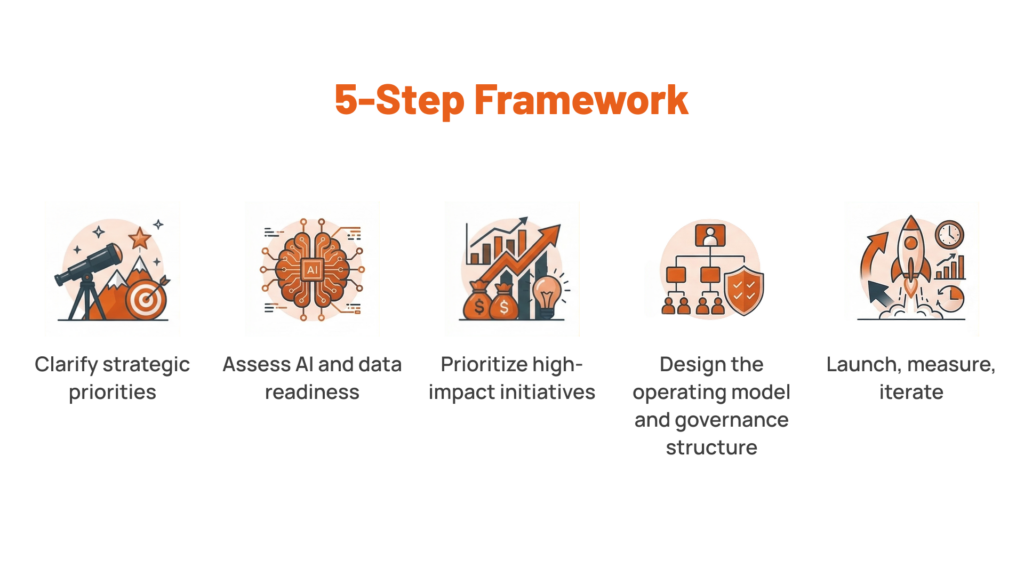
This won’t win awards for novelty. But if you follow it step by step without skipping the boring parts, you will end up on the right side of that 95/5 divide.
What Comes After Strategy
Enterprise AI strategies fail because there are too many pilots without ownership, too much investment without alignment, too much technology without architecture, too much enthusiasm without a governance framework. The patterns are well-documented. That 95% failure rate is alarming, but it’s also useful because it tells you exactly what to avoid.
Good AI is the outcome of everything that comes before the model: the business alignment, the operating model, the data foundation, the talent, the governance, the portfolio discipline, the willingness to iterate. Get those right and the AI part becomes the relatively straightforward part.
At Lerpal, we approach AI strategy the way we approach everything: architecture first, execution always. We help organisations build the conditions for AI to work the operating models, the data infrastructure, the governance structures, the delivery capability so that when AI enters the picture it has somewhere solid to land.
Good AI comes from better foundations. And foundations, as it happens, are what we build.
Explore how Lerpal helps organisations create the conditions for AI that works.